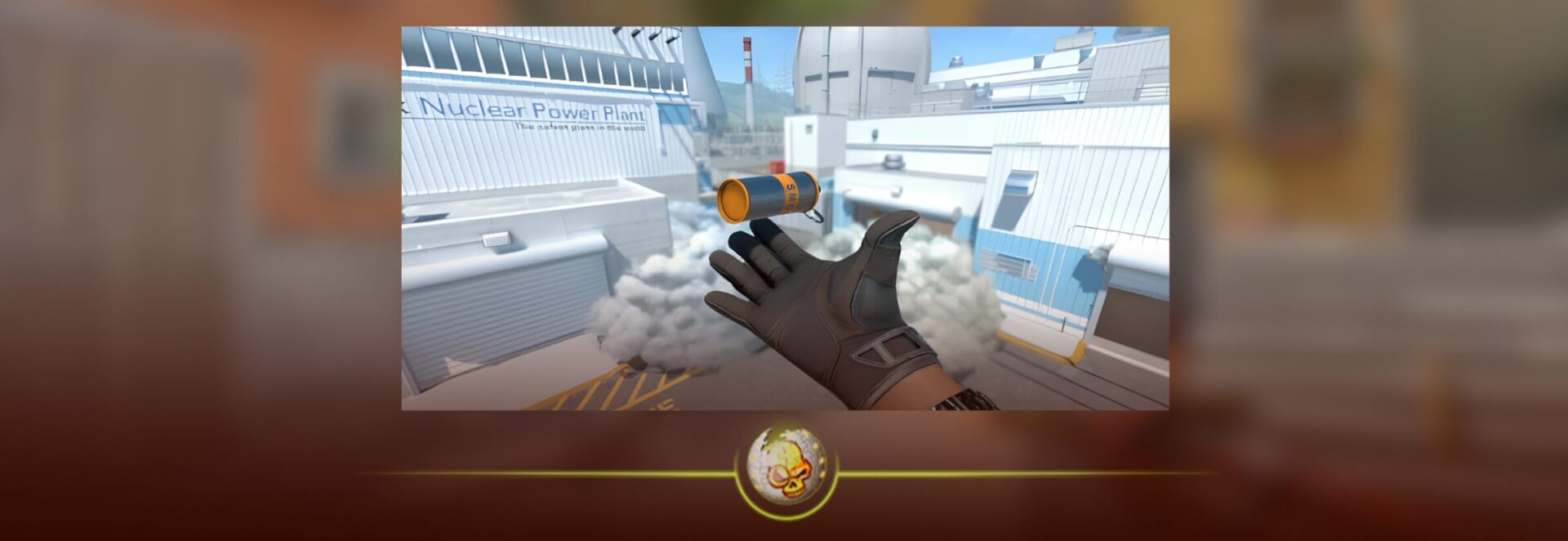
If you want to actually get better at CS2, learning smokes is one of the easiest ways to stop feeling useless in rounds where your aim is not saving you.
Everyone wants better crosshair placement, better aim, better FPS, better skins, better settings, all of that matters. But good utility is what makes you feel like you know what you are doing. A clean smoke can block an AWP, cut off a rotation, give your team a free plant, or make a site hit feel 10 times easier.
If you are newer to the game, you may also want to read our CS2 Beginner’s Guide first, because understanding map control and basic utility makes smoke practice way easier.
Quick Answer: How to Practice CS2 Smokes
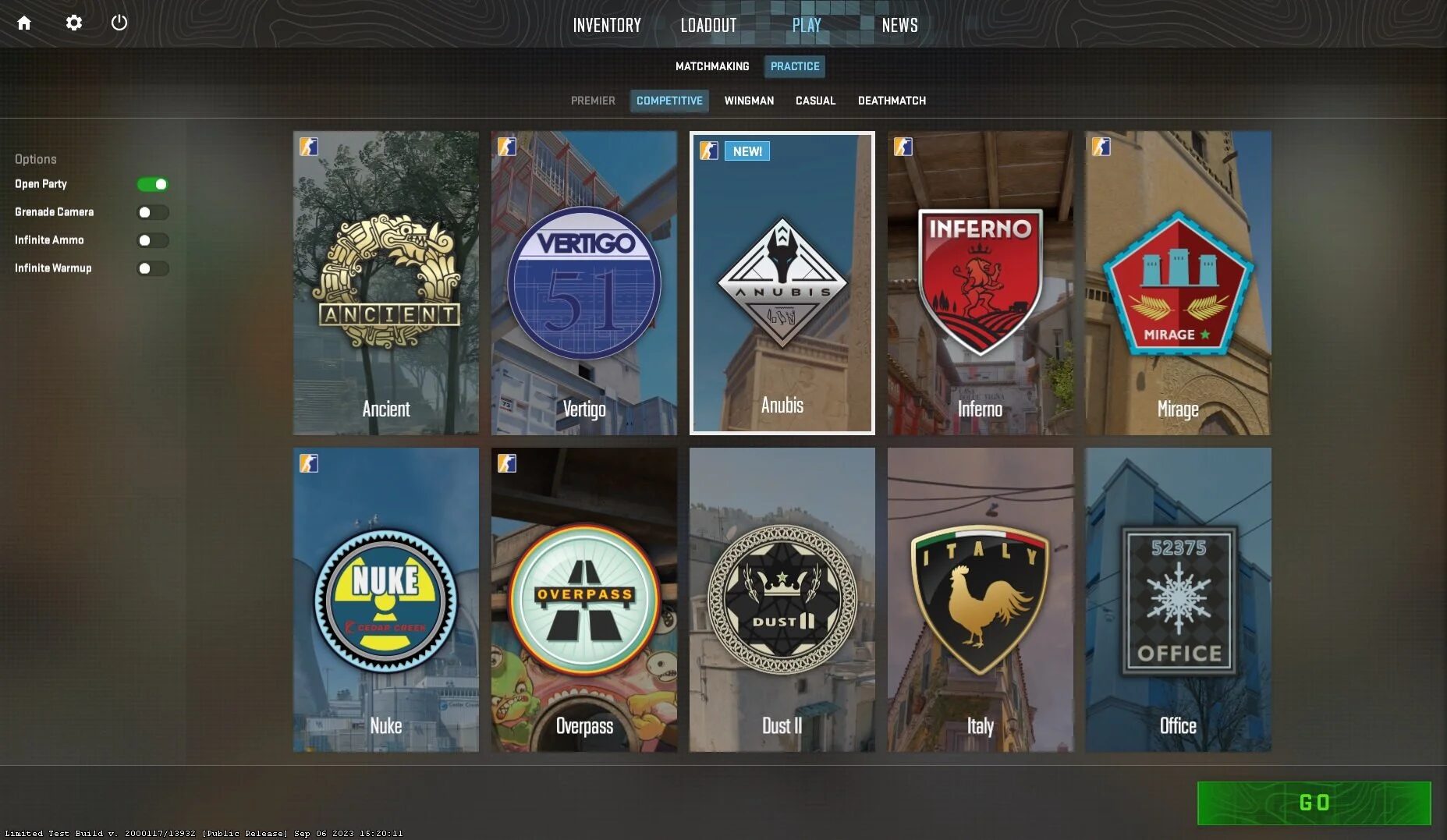
The easiest way to practice smokes in CS2 is to start a private Practice match, enable Grenade Camera, Infinite Ammo, and Infinite Warmup, then use console commands to remove bots, extend round time, enable noclip, and rethrow grenades.
Here is the quick setup:
- Open CS2
- Go to Play
- Choose Practice
- Pick the map you want
- Enable Grenade Camera, Infinite Ammo, and Infinite Warmup
- Load into the map
- Open the developer console
- Paste your practice commands
- Start throwing smokes until the lineup becomes automatic
For most players, that is enough to start. But if you want to practice properly, you should make your own smoke practice config so you do not have to paste commands every time.
Why Practicing Smokes Matters So Much in CS2
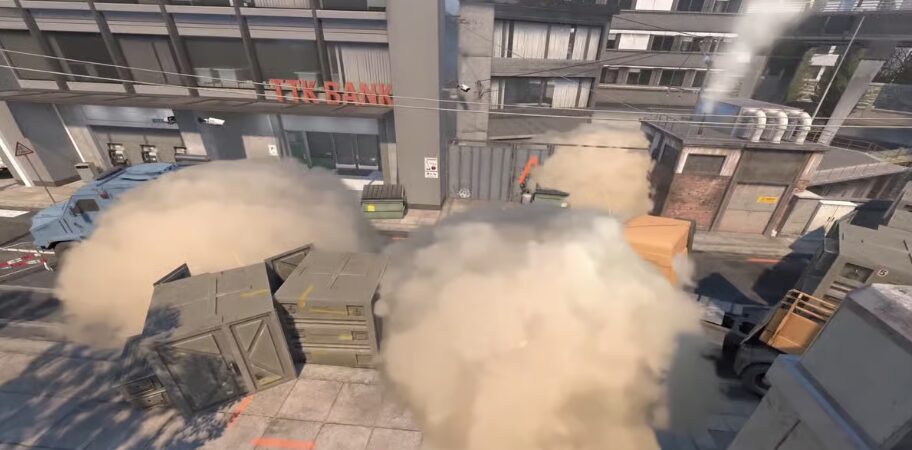
CS2 smokes are not just old CSGO smokes with nicer graphics. Smokes in CS2 are volumetric, they fill space differently, and they can react to bullets and grenades. That means placement matters a lot. A smoke that was “good enough” in CSGO might leave a tiny gap in CS2, and that tiny gap can get your whole team killed.
This is why you should not only memorize the throw. You need to understand where the smoke lands, what angle it blocks, whether there is a gap, how long it takes to bloom, and whether enemies can spam through it.
A good smoke practice session should answer three questions:
Can I throw this smoke consistently?
Does it actually block the angle I need?
Can I throw it under real match pressure?
That last one is important. Anyone can line up perfectly when they are standing still for 20 seconds in an empty server. Real games are different. You are rushing out of spawn, teammates are talking, enemies are pushing, and suddenly your “easy smoke” is not so easy anymore.
That is why the best way to practice CS2 smokes is to build muscle memory.
How to Enable the Developer Console in CS2
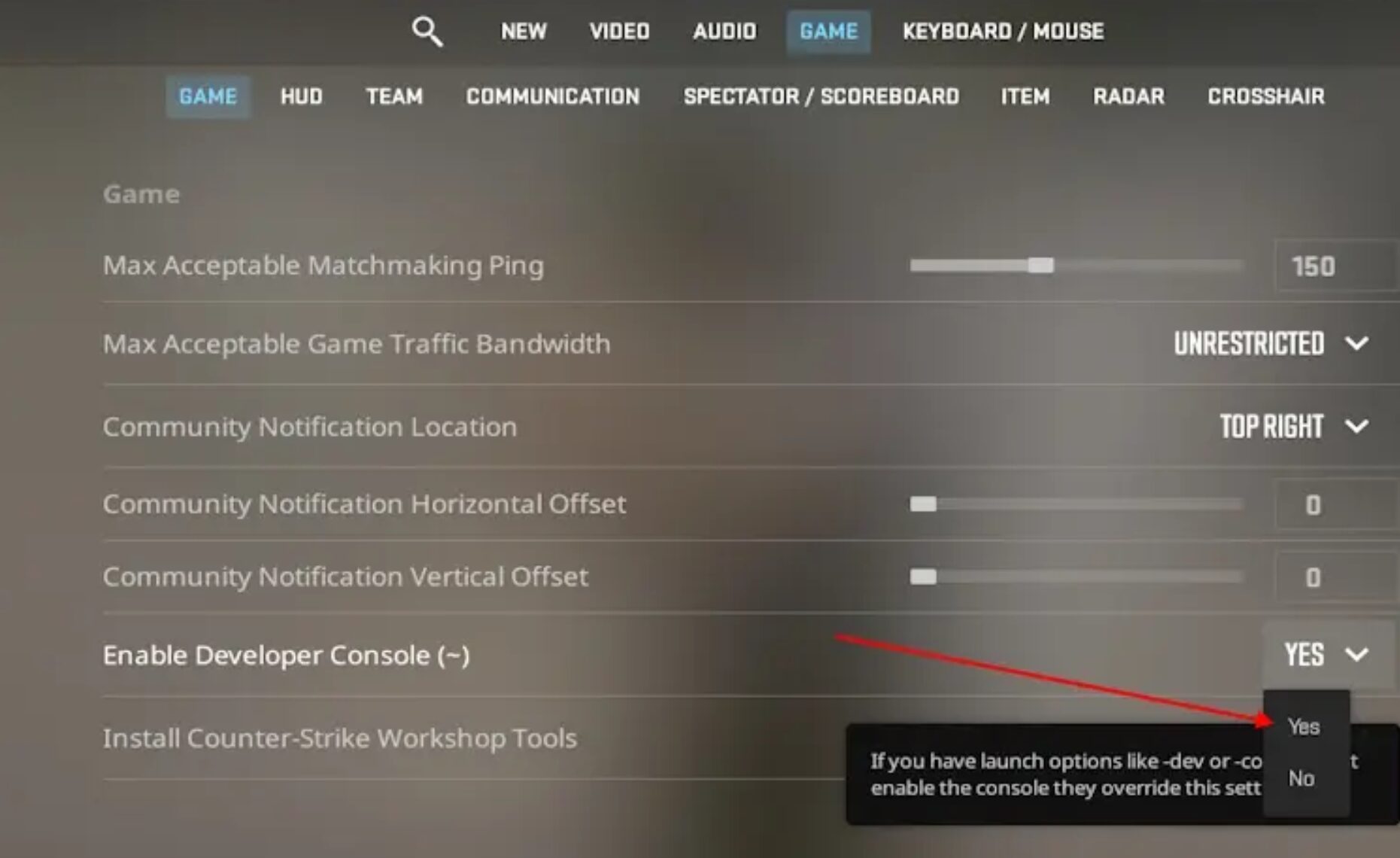
Before you use CS2 smoke practice commands, you need the console enabled.
Open CS2, go to Settings, then Game, and find Enable Developer Console. Set it to Yes. After that, you can open the console with the tilde key, which is usually the key under ESC.
If the console does not open, check your keyboard layout or bind it manually in settings. Console access is useful for almost everything in CS2, not just smoke practice. It helps with FPS, HUD tweaks, server commands, practice configs, and small quality of life changes.
For more command based setup help, check our Best CS2 Practice Commands List and our How to Show FPS in CS2 guide.
Best CS2 Smoke Practice Commands
Once you are in a private practice server, open the console and paste these commands:
sv_cheats 1

bot_kick

mp_warmup_end

mp_freezetime 0

mp_roundtime 60

mp_roundtime_defuse 60

mp_buytime 9999

mp_buy_anywhere 1

sv_infinite_ammo 1

ammo_grenade_limit_total 5

sv_grenade_trajectory_prac_pipreview 1

sv_grenade_trajectory_prac_trailtime 8

mp_restartgame 1
These commands create a clean practice server. Bots are removed, the round timer is long, freezetime is gone, you can buy anywhere, and your grenades do not run out.
Here is what each important command does:
| Command | What it does |
|---|---|
| sv_cheats 1 | Allows practice server commands to work |
| bot_kick | Removes bots from the map |
| mp_freezetime 0 | Removes the delay at round start |
| mp_roundtime_defuse 60 | Makes defuse map rounds last longer |
| sv_infinite_ammo 1 | Gives unlimited ammo and grenades |
| ammo_grenade_limit_total 5 | Lets you carry more utility |
| sv_grenade_trajectory_prac_pipreview 1 | Shows grenade preview tools in practice |
| mp_restartgame 1 | Restarts the match after commands are applied |
If one command ever stops working after a CS2 update, do not panic. Valve changes small command behavior sometimes. The core setup still stays the same: private server, cheats enabled, long round time, infinite grenades, grenade camera, and rethrow tools.
Useful Binds for Practicing Smokes
Commands are good, but binds make practice faster. You do not want to open console every 5 seconds while testing a smoke.
Use these binds:
bind "v" "noclip"

bind "c" "sv_rethrow_last_grenade"

bind "x" "ent_fire smokegrenade_projectile kill"
The noclip bind lets you fly around the map and quickly check where your smoke lands. The rethrow bind repeats your last grenade, which is amazing for checking if the smoke works from an enemy point of view. The clear smoke bind removes active smoke projectiles so you do not have to wait for them to fade.
You can change the keys if you want. I like V for noclip because it is easy to reach, but use whatever feels natural.
This setup is especially good when practicing Mirage window smoke, Ancient mid smokes, Nuke outside smokes, or any lineup where you need to quickly fly to the landing spot and check for gaps.
If you are also practicing movement while throwing jump smokes, check our CS2 Bunny Hop Commands guide. Movement comfort helps a lot with running throws and timing based lineups.
How to Make a CS2 Smoke Practice Config
If you practice often, do not paste commands manually every time. Make a config file.
Go to your CS2 config folder. It is usually inside your Steam installation, under the CS2 game files. Look for the cfg folder.
Create a new file called:
smokes.cfg
Paste this inside:
sv_cheats 1

bot_kick

mp_warmup_end

mp_freezetime 0

mp_roundtime 60

mp_roundtime_defuse 60

mp_buytime 9999

mp_buy_anywhere 1

sv_infinite_ammo 1

ammo_grenade_limit_total 5

sv_grenade_trajectory_prac_pipreview 1

sv_grenade_trajectory_prac_trailtime 8

bind "v" "noclip"

bind "c" "sv_rethrow_last_grenade"

bind "x" "ent_fire smokegrenade_projectile kill"

mp_restartgame 1
Save the file.
Now when you load into a practice server, open console and type:
exec smokes
That is it. Your whole setup loads instantly.
One common mistake is saving the file as smokes.cfg.txt by accident. If your config does not work, check that Windows is showing file extensions and make sure the file is actually a cfg file.
Best Practice Menu Settings for CS2 Smokes
CS2 made practice easier because you do not need a giant config just to start throwing grenades. When you go into Practice mode, enable these options before loading the map:
Grenade Camera
Infinite Ammo
Infinite Warmup
Grenade Camera is huge because it gives you instant feedback on where your smoke is going. Infinite Ammo means you do not need to rebuy every throw. Infinite Warmup gives you time to test without the match ending.
Still, I recommend using both the Practice menu and console commands. The Practice menu is fast. The commands make it cleaner.
Best Maps to Practice Smokes First
Do not try to learn 100 smokes in one day. That is how you forget all of them.
Start with the maps you actually play. If you mostly queue Mirage, Ancient, Nuke, Inferno, Dust2, and Anubis, start there. Do not waste time learning niche smokes for maps you never pick.
For Mirage, learn the basics first: Window smoke, Jungle smoke, CT smoke, Stairs smoke, and Connector smoke. If you do not know the callouts yet, read our Mirage Callouts CS2 Guide or the older CS2 Mirage Callouts Guide.
For Nuke, outside smokes are the big one. They let T side cross toward Secret without getting deleted by outside players. Our CS2 Nuke Callouts Guide helps a lot because Nuke is confusing if you do not know the layers.
For Ancient, mid and donut control matter a ton. You can use our Ancient Callouts Guide to connect the smoke names with the actual positions.
For Overpass, smoke practice is a bit different because map control is slower and more spread out. If you play it, check our CS2 Overpass Callouts Guide and our guide on Overpass returning to Premier.
You can also use our CS2 Maps Guide if you want a broader look at the active map pool.
How to Actually Practice a Smoke Lineup
The best way to practice one smoke is not to throw it once and move on.
Do this instead:
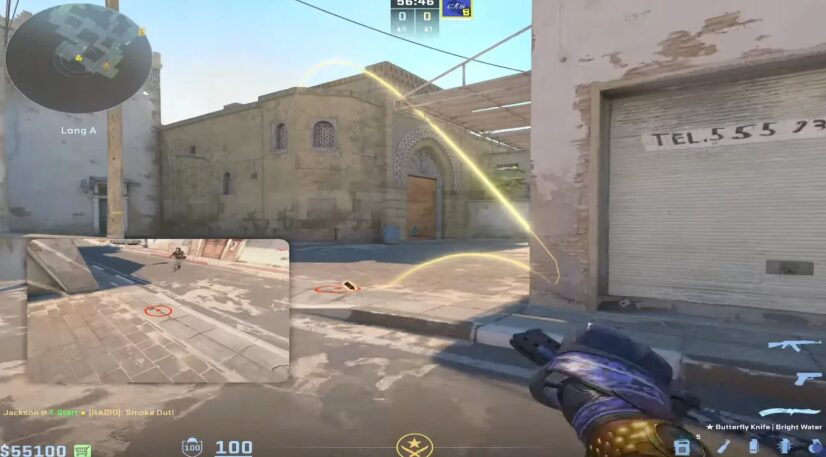
First, stand in the lineup spot and throw the smoke slowly. Check where your crosshair is placed. Look at the wall, roof, antenna, window, brick, shadow, or whatever reference point the lineup uses.
Second, throw it 5 times in a row. If it lands correctly 5 times, you are starting to learn it.
Third, turn around, run back into position, and do it faster. This matters because in real rounds you do not have unlimited time to line up.
Fourth, practice it with spawn timing. Some smokes only matter if they land early. A Mirage window smoke thrown 10 seconds late is not the same as one thrown instantly from T spawn.
Fifth, rethrow the smoke and stand where the enemy would stand. Check if there is a gap. Look from Window, CT, Jungle, Connector, Short, or wherever the smoke is meant to block.
This is where most players mess up. They only look at the smoke from their side. You need to check it from the enemy side too.
Common Mistakes When Practicing CS2 Smokes
The biggest mistake is learning too many smokes at once. You do not need every lineup on every map. You need the 5 to 10 smokes that actually help you win rounds.
Another mistake is only learning standing throws. In CS2, a lot of good utility uses jump throws, run throws, crouch throws, or small timing steps. If the lineup says jump throw, do not freestyle it. Practice the exact movement.
Players also forget about team spacing. A smoke might be perfect, but if your team is not ready to take space behind it, it does nothing. Utility is supposed to create timing. If you smoke CT on Mirage but nobody leaves ramp, you wasted it.
Another common mistake is practicing with bad FPS. If your game feels choppy, your lineups and movement timing will feel worse. Before grinding smokes for an hour, make sure your game runs clean. Our Best CS2 Settings for Max FPS and CS2 FPS Boost Guide can help with that.
Also, make sure your radar is readable. When you throw utility, your radar tells you where your team is, what space you control, and whether your smoke timing makes sense. Our Radar and Minimap Settings Guide for CS2 is worth setting up if your radar still looks default.
Should You Practice Smokes Alone or With Friends?
Practice alone first. You need to learn the lineup without pressure.
After that, practice with friends. This is where smokes become useful. One player throws the smoke, one player flashes, one player entries, and someone checks if the timing works.
For example, on Mirage A site, one player can smoke CT, another smokes Jungle or Stairs, another flashes over ramp, and two players swing out. That kind of practice is way more useful than everyone randomly throwing utility in solo queue.
If you play FACEIT, Premier, or team CS, practicing with friends is one of the fastest ways to improve. A basic execute with average aim can beat a better aiming team if the utility lands properly.
If you are trying to climb, also read our FACEIT Elo Guide and How Many Rounds Are in CS2 so your practice connects better with actual match format.
Best Smokes to Learn First
If you are brand new to smoke practice, learn these types first:
Default execute smokes
Mid control smokes
Retake smokes
One way counters
Save and exit smokes
Default execute smokes are the normal site hit smokes, like Mirage CT, Jungle, and Stairs. Mid control smokes help your team take space safely. Retake smokes help you defuse or isolate fights. One way counters help you avoid getting cheesed by annoying angles. Save and exit smokes help you escape after planting or keep your gun alive.
You do not need fancy pro smokes right away. Learn the boring useful ones first. Those are the smokes you will actually throw every game.
Final Thoughts
Learning how to practice CS2 smokes is not hard. The hard part is being consistent.
Set up a private server, enable the right practice settings, use the smoke practice commands, bind noclip and rethrow, and focus on one map at a time. Do not try to become a utility god overnight. Learn 3 smokes, use them in real matches, then add more.
The goal is not to know every smoke in CS2. The goal is to know the smokes you can actually throw when the round is messy, your team is yelling, and the enemy is pushing.
That is when practice pays off.
And once your setup feels clean, make the rest of your game feel clean too. Good FPS, readable radar, strong settings, and solid map knowledge all stack together. If you want to keep improving beyond utility, check out our CS2 Pro Settings Guide, CS2 Follow Recoil Guide, and CS2 Pro Crosshair Codes.
Practice the smoke until you do not have to think about it. That is when it becomes useful.
FAQ
The best way to practice CS2 smokes is to load into a private Practice match, turn on Grenade Camera, Infinite Ammo, and Infinite Warmup, then use console commands like sv_cheats 1, bot_kick, sv_infinite_ammo 1, and sv_rethrow_last_grenade.
The most useful command is sv_grenade_trajectory_prac_pipreview 1 because it helps you see where your grenade is going. You should also bind sv_rethrow_last_grenade so you can test the same smoke from different angles.
Yes, CS2 has built in Practice settings like Grenade Camera, Infinite Ammo, and Infinite Warmup. Commands just make the server cleaner and faster for serious practice.
Use this command in console:bind "c" "sv_rethrow_last_grenade"
After you throw a smoke, press C and the game will throw the same grenade again.
Most of the time, your crosshair placement, movement timing, or jump throw timing is slightly off. Practice the same lineup 5 to 10 times in a row and check the smoke from the enemy’s point of view to make sure there are no gaps.
No. Start with the important ones for the maps you actually play. Learn default execute smokes, mid control smokes, and retake smokes first. Those will help you way more than memorizing 50 random lineups.