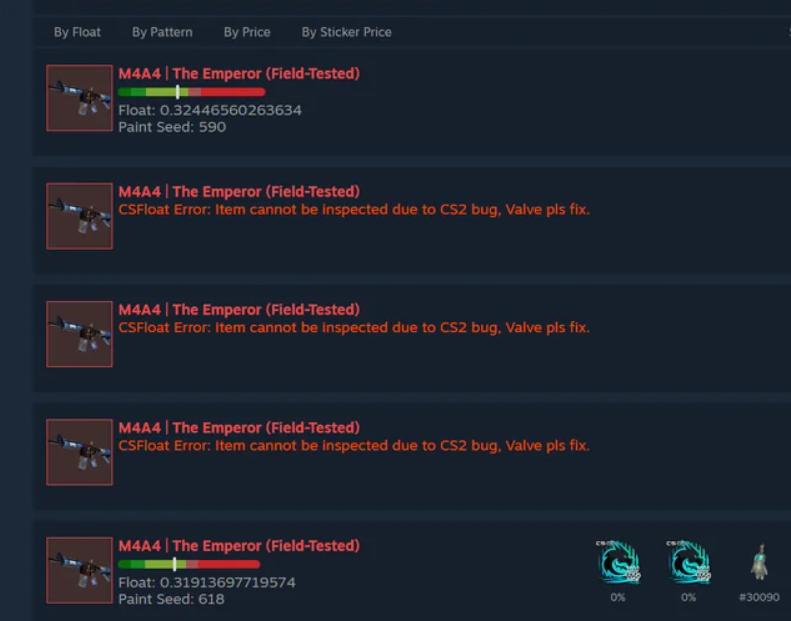
Over the past 24 hours, many Counter-Strike 2 players have started seeing a frustrating error when trying to inspect skins using CSFloat. The message usually reads:
“Item cannot be inspected due to CS2 bug.”
If you’re trying to check a float value, pattern, or sticker placement and suddenly the inspect link doesn’t work, you’re not alone. This issue has started affecting traders, collectors, and anyone who relies on third-party tools like CSFloat to evaluate skins before buying or selling.
The good news is that the problem is not related to your account, your inventory, or CSFloat itself. It appears to be a temporary CS2 inspection bug affecting inspect links and item previews.
Here’s what’s actually happening and how you can still inspect skins until Valve fixes it.
What Is the CSFloat Inspect Bug in CS2?
CSFloat is one of the most popular tools used by CS2 traders to check skin information such as float value, paint seed, and wear. The platform works by reading Steam inspect links generated by Counter-Strike 2.
Recently, players began reporting that certain skins cannot be inspected anymore, with CSFloat showing an error related to a CS2 inspection bug. Some users trying to inspect skins through the Steam market or third-party tools simply get no preview or a broken inspection link.
The issue appears to come from how CS2 currently processes inspect requests, not from CSFloat’s servers. When the game fails to load the inspect command properly, third-party tools cannot retrieve the item data.
In simple terms:
CSFloat needs CS2 to return skin data
CS2 currently fails to respond for some items
The inspection request breaks
That’s why the error message specifically mentions a CS2 bug.
Why This Matters for Skin Traders
For casual players, the inspect feature is just a cosmetic preview. But for traders and collectors, it’s critical.
Without inspection access you cannot easily check:
• Float value
• Pattern index
• Sticker wear
• Skin scratches and placement
• Rare patterns or fades
Two skins with the same name can have drastically different values because of their float and pattern. Understanding those details is essential when trading or buying skins.
Because of this bug, some traders are temporarily unable to verify skins before purchasing them on marketplaces.
How to Fix the CSFloat Inspect Bug (Workarounds)
Until Valve releases a fix, there are a few workarounds that can help you inspect skins again.
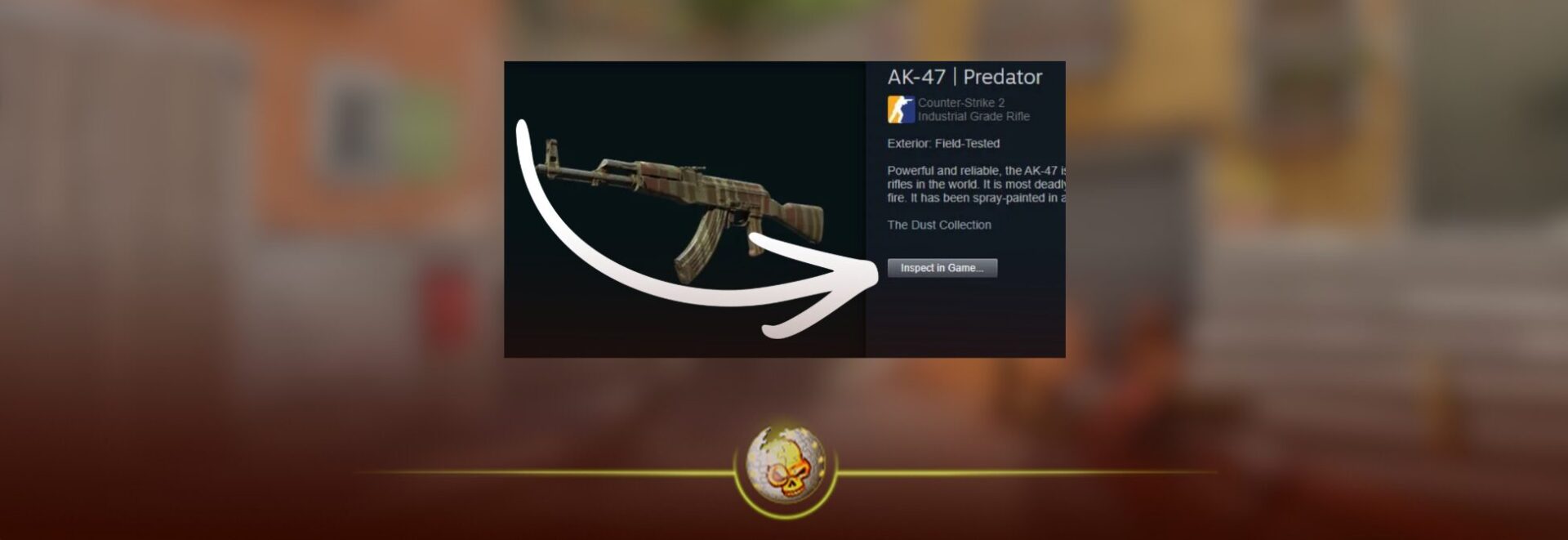
1. Inspect Directly From Steam Inventory
Sometimes the issue only affects external inspect links.
Try this instead:
- Open Counter-Strike 2
- Open the Steam overlay (Shift + Tab)
- Go to your Steam inventory
- Select the skin
- Click Inspect in Game
This bypasses some broken market links and may still load the item preview.
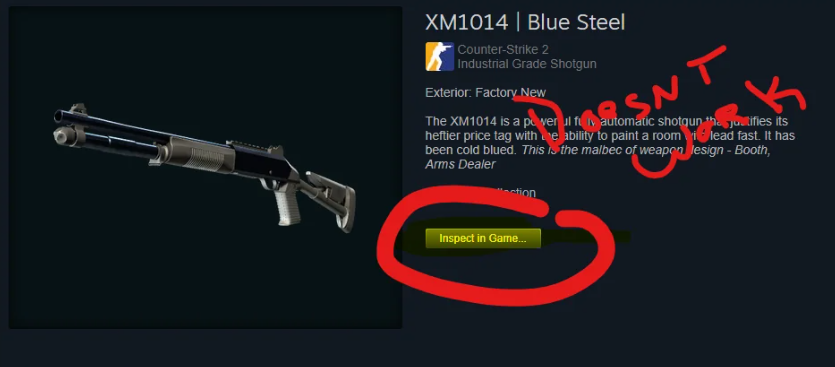
2. Inspect From Market Search Results (Not the Item Page)
One known Steam UI bug causes inspect buttons to fail when opening the full listing page.
Instead:
- Search the skin on the Steam Market
- Stay on the results page
- Click Inspect in Game directly from the listing preview
This method often works when the main inspect button is broken.
3. Restart Steam and Clear Cache
If inspection suddenly stopped working for you, it could also be related to Steam overlay cache.
Steps to try:
- Close CS2
- Open Steam settings
- Disable Steam overlay
- Restart Steam
- Enable overlay again
- Clear Steam download cache
This refreshes the connection between Steam and the CS2 client.
4. Verify CS2 Game Files
Occasionally inspect errors can happen if the game client is outdated or corrupted.
To verify your files:
- Open Steam Library
- Right-click Counter-Strike 2
- Click Properties
- Go to Installed Files
- Select Verify integrity of game files
Steam will automatically repair missing files.
When Will Valve Fix the Bug?
At the moment, Valve has not officially commented on the inspection issue.
However, similar inspection bugs have appeared before and were typically fixed within a few days once enough players reported them.
Because inspecting skins is a core part of the CS2 trading ecosystem, it’s very likely that the developers will push a small patch soon.
Until then, the best solution is to use inventory inspection or alternative market listings to preview skins.
Final Thoughts
The “CSFloat item cannot be inspected due to CS2 bug” error has quickly become one of the most annoying glitches for traders and skin collectors. Fortunately, the problem doesn’t appear to be permanent.
If you encounter the error:
• Try inspecting from Steam inventory
• Use market search results instead of listing pages
• Restart Steam and clear cache
• Verify your CS2 game files
Most importantly, remember that this is a CS2 inspection bug, not a CSFloat issue.
Once Valve releases a fix, inspection links should begin working normally again.

Read More From Daddyskins
- How to Fix Packet Loss in CS2 (2026)
- 100 Thieves CS2 is back and the roster is now complete
- RYU CS2 Player Profile & Biography
- CS2 Bunny Hop Command
- SpotGuesser CS2 Guide (Spotguessr)
- BLAST Bounty Winter 2026 Schedule, Prize Pool, and Streams
- Aurora CS2 Team, Players and Stats
- Monte CS2 Team Roster Players Results and 2026 Outlook
- CS2 Premier Season 4: Everything You Need to Know
- CS2 Sticker Crafts of 2026 Best and Cleanest Craft Ideas
- CS2 Update 2026: Train Out, Anubis In, and Why This Week Matters
- CS2 Premier Season 4: Start Date, Changes & What You Need to Know
- CS2 Premier Season 4 Leaks
- CS2 Premier 4 Skins & Knives – What We Know
- Harlequin & Achroma COLLECTION SKINS In-Game (New CS2 Update)
- CS2 update today full patch notes and changes explained
- IEM Kraków 2026 Stage 1 Preview and Predictions for CS2
- Cache return rumors resurface in CS2
- CS2 Patch Update January 30, 2026
- New CS2 Skins Just Dropped: Season 4 CS2 Skins
- Cheapest Pink CS2 Skins in 2026
- Valentine’s Day CS2 Skins
- Mudryk CS2 Faceit Ban Explained
- Movement Hub for CS2 Workshop Ranked 2026
- CS2 Danger Zone In 2026
- Esports Nations Cup 2026: What ENC Means for CS2
- When is the next CS2 tournament 2026
- IEM Atlanta 2026 CS2 Preview Teams Format Schedule
- Radar & Minimap Settings Guide for CS2
- Kyousuke CS2 Settings: Full Guide [2026]
- CS2 Weekly Drop Reset 2026
- How Does VAC Works in CS2?
- New York Sues Valve Over CS2 Loot Boxes
- Team Vitality Wins PGL Cluj Napoca 2026 in Dominant CS2 Grand Final
- CS2 Pro Crosshairs Codes 2026
- donk CS2 Settings: Full Guide [2026]
- CS:GO Steam Charts Surge After Valve Quietly Adds CS:GO Back to Steam
- CS:GO Is Back on Steam: How to Download CS:GO in 2026
- Inferno Update CS2: What Changed in the Latest Counter Strike 2 Patch