
If you came here to copy donk’s CS2 settings, you probably do not want his life story first.
As of August 2026, Danil “donk” Kryshkovets is using 800 DPI, 1.25 sensitivity, 1000 eDPI and 1280×960 stretched. His viewmodel is the familiar 68 FOV setup, while his crosshair is tiny and changes more often than most settings sites make it seem.
Here are the important settings.
Mouse
DPI: 800
Sensitivity: 1.25
eDPI: 1000
Zoom Sensitivity: 1
Polling Rate: 1000 Hz
Crosshair
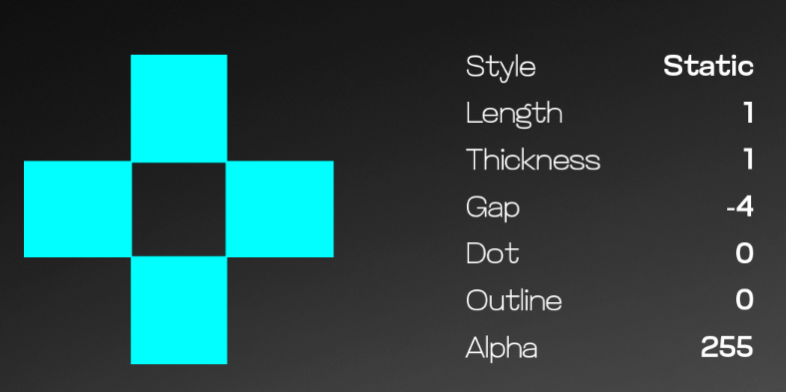
Style: Classic Static
Size: 1
Thickness: 1
Gap: minus 4.5
Center Dot: Off
Outline: Off
Alpha: 200
Video
Resolution: 1280×960
Aspect Ratio: 4:3
Scaling: Stretched
Display Mode: Fullscreen
Viewmodel
FOV: 68
X: 2.5
Y: 0
Z: minus 1.5
That is the setup. Now for the parts that actually matter when you try it yourself.
donk Sensitivity and DPI
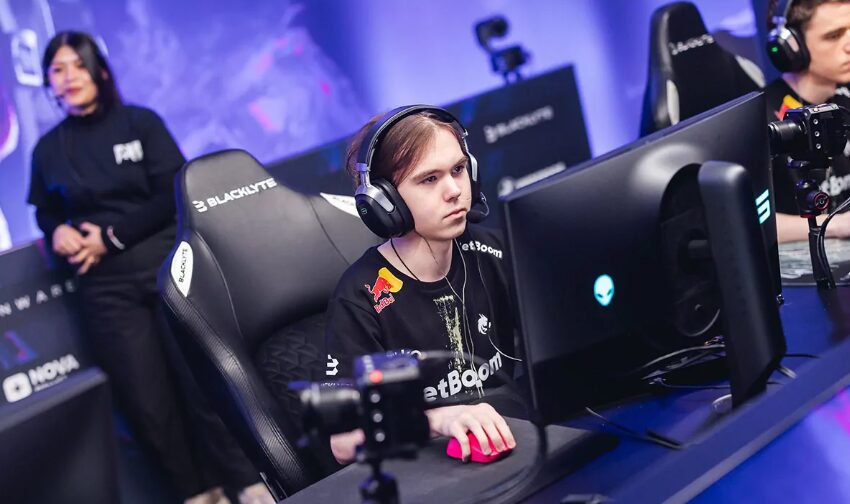
donk’s sensitivity is probably the most interesting part of his setup.
He plays on 800 DPI and 1.25 sensitivity, which equals 1000 eDPI. That is on the faster side compared with a lot of CS riflers, but it makes sense when you watch him play. He takes fights quickly, changes direction constantly and makes very fast corrections.
The funny thing is that players regularly look up his sensitivity, copy it and then wonder why their aim suddenly feels out of control.
A recent Reddit discussion had someone doing almost exactly that. They copied donk’s settings because he was the hottest player to watch, then eventually realized the sensitivity and crosshair were not some secret formula. Another current sensitivity discussion had the same basic advice players have given forever: find something comfortable and stop changing it every few games.
That is probably the best way to look at donk’s sensitivity.
Try it, but do not force it.
If you want to understand the numbers first, our CS2 sensitivity and DPI guide explains eDPI properly. It is also worth checking your CS2 mouse acceleration and raw input settings if your mouse still feels strange.
What Crosshair Does donk Use?
This is where things get confusing because donk changes his crosshair a lot.
His crosshair recorded during Team Spirit’s match against BIG at Esports World Cup on August 15, 2026 used size 1, thickness 1 and a minus 4.5 gap. It was static, had no center dot and no outline.
The current Team Spirit settings tracker lists his share code as:
CSGO-dhQ8G-H5D6a-xhnP9-7GGep-uzOtQ
Do not be surprised if you find a different code somewhere else.
Players on Reddit have joked that donk changes his crosshair constantly, and people regularly ask why the crosshair they copied does not look like the one he was using in a recent demo.
The other thing people overthink is whether his tiny crosshair is somehow better.
A recent CS2 thread specifically compared donk’s tiny crosshair with larger open crosshairs. The responses were basically unanimous: it is preference. There is no single best crosshair.
If the tiny green crosshair disappears against a map background for you, make it bigger. donk is not going to know.
You can import the code through Settings, Game, Crosshair, Share or Import. Our CS2 crosshair change guide explains the process, and our full CS2 crosshair guide has more setups to test.
donk Resolution and Viewmodel
donk still uses 1280×960 with 4:3 stretched.
That makes player models appear wider on screen, although their actual hitboxes do not change. The tradeoff is a narrower horizontal field of view and a less sharp image compared with native 16:9.
It also makes movement look faster, which becomes pretty noticeable when you combine stretched resolution with donk’s 1000 eDPI.
If you want to try the same setup, our CS2 4:3 stretched guide shows how to configure GPU scaling correctly. You can also compare it against other options in our best CS2 resolution guide.
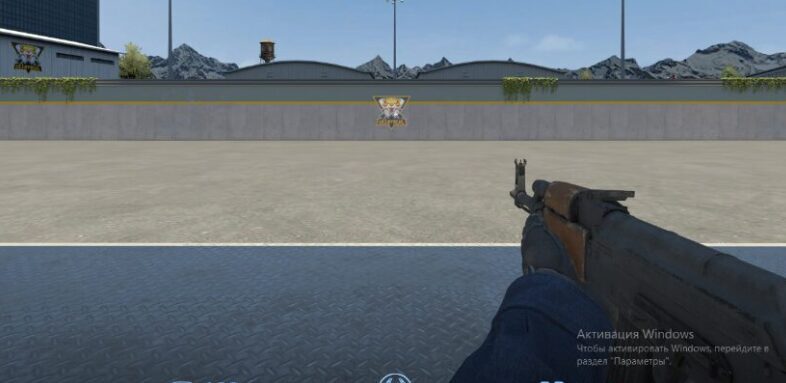
His viewmodel is much easier to copy:
FOV 68
X 2.5
Y 0
Z minus 1.5
Preset Position 2
It keeps the weapon pushed away from the middle of the screen without looking ridiculous. Our CS2 viewmodel settings guide explains what each value does if you want to adjust it.
donk Video Settings
donk is not simply turning every graphics option to Low.
His current listed settings include Boost Player Contrast enabled, V Sync disabled, 600 maximum FPS, 8x MSAA, High Global Shadow Quality and Low model, shader and particle detail.
That is a good reminder that competitive settings are about visibility and consistency, not just getting the biggest FPS number possible.
If his exact config runs badly on your PC, use our best CS2 settings for 2026 or our CS2 video settings guide instead.
Should You Copy donk’s Settings?
Yes, if you treat them as a starting point.
Try the 800 DPI and 1.25 sensitivity. Try 1280×960 stretched. Import his crosshair and see whether you can actually see it properly.
Then leave everything alone for a while.
One of the worst habits in CS is changing sensitivity or crosshair every time you have a bad game. Settings can make the game feel comfortable, but they are not why donk wins gunfights.
His movement and counter strafing are a much bigger part of it. There was even a recent Reddit discussion entirely about the way donk spams movement keys during fights and how good his counter strafing is.
If you want another elite rifler to compare against, take a look at our NiKo CS2 settings. The differences are a good example of why there is no single perfect pro setup.
Final Thoughts
donk’s settings are actually pretty normal once you stop looking for a secret in them.
The main things are 1000 eDPI, 1280×960 stretched and a tiny static crosshair.
Copy them if you want. Just do not spend the next week changing everything again because you found another donk demo with a different green dot in the middle of his screen.
Settings last checked August 22, 2026.