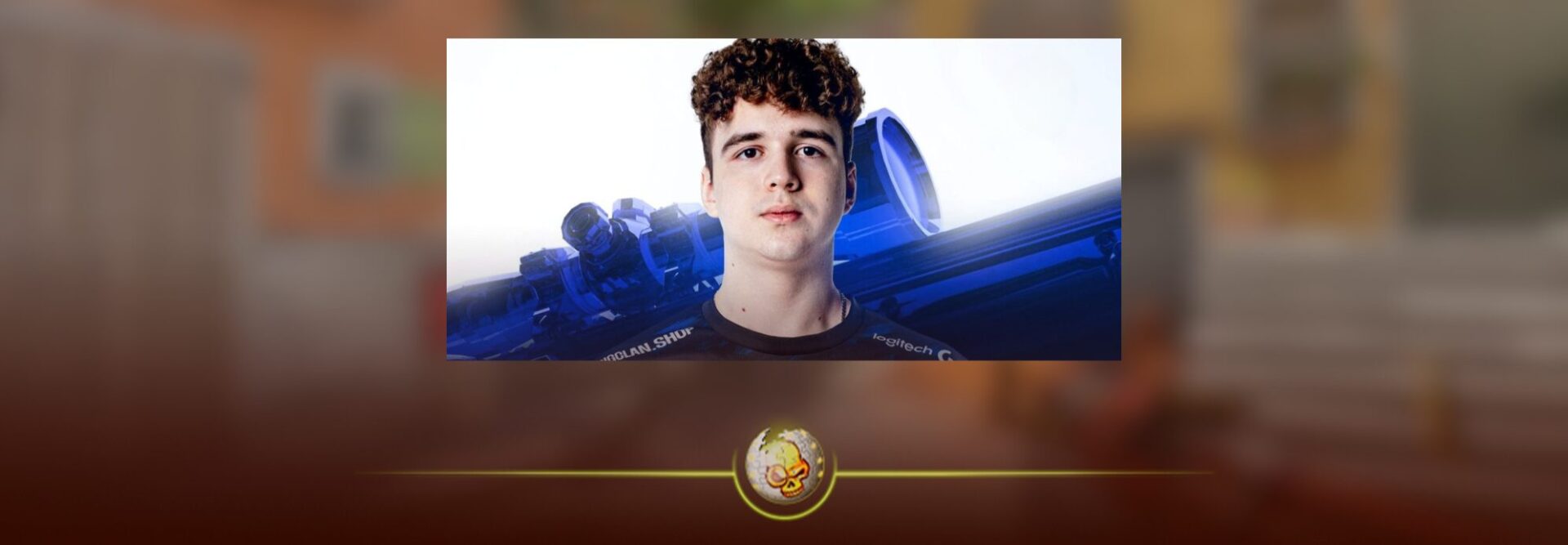
Looking for the current gr1ks CS2 settings? Gleb “gr1ks” Gazin is the Belarusian AWPer currently playing for BIG, and his setup is built around a fairly quick 1000 eDPI sensitivity, a small static crosshair and the classic 1280×960 stretched resolution.
We checked his latest available setup on August 16, 2026. Player settings change regularly, so older configs you find online may show slightly different numbers.
gr1ks CS2 Settings: Quick Overview
| Setting | gr1ks Setting |
|---|---|
| DPI | 1000 |
| Sensitivity | 1.00 |
| eDPI | 1000 |
| Zoom Sensitivity | 1.00 |
| Polling Rate | 8000 Hz |
| Windows Sensitivity | 6 |
| Resolution | 1280×960 |
| Aspect Ratio | 4:3 |
| Scaling | Stretched |
| Display Mode | Fullscreen |
| Viewmodel FOV | 68 |
These settings were the latest values we could verify at the time of writing.
If you want to compare his setup with other professionals, our CS2 pro settings guide breaks down how competitive players approach sensitivity, resolution and crosshair choices.
gr1ks Mouse and Sensitivity Settings
gr1ks currently plays at 1000 DPI with a 1.00 CS2 sensitivity, giving him exactly 1000 eDPI.
| Mouse Setting | Value |
|---|---|
| DPI | 1000 |
| Sensitivity | 1.00 |
| eDPI | 1000 |
| Zoom Sensitivity | 1.00 |
| Polling Rate | 8000 Hz |
| Windows Sensitivity | 6 |
For an AWPer, the interesting part here is how responsive the setup feels. At 1000 eDPI, gr1ks can make quick adjustments and flicks without needing huge movements across the mousepad.
That does not mean 1000 eDPI will automatically feel right for you. Mouse weight, grip and available desk space all matter. Our CS2 sensitivity and DPI guide explains how to find a sensitivity that actually fits your aim.
gr1ks Crosshair Settings
The current gr1ks crosshair is compact, static and cyan.
| Crosshair Setting | Value |
|---|---|
| Style | Classic Static |
| Follow Recoil | No |
| Center Dot | No |
| Length | 1.4 |
| Thickness | 0.5 |
| Gap | -2.7 |
| Outline | No |
| Red | 0 |
| Green | 255 |
| Blue | 255 |
| Alpha | 255 |
| T Style | No |
| Sniper Width | 1 |
There is very little visual clutter here. The short length and negative gap keep the crosshair tight around the center of the screen, while the bright cyan color helps it stay visible across different parts of a map.
Crosshair codes reported for gr1ks currently differ between tracking sites, so we would rather give you the freshly verified individual settings than label an older code as his current one.
You can recreate it manually or use our guide to changing your CS2 crosshair. We also have a full list of CS2 crosshair commands if you prefer using the console.
For more options, check our 2026 pro crosshair codes or our complete CS2 crosshair guide.
gr1ks Resolution and Video Settings
gr1ks uses 1280×960 at 4:3 stretched, one of the most recognizable competitive CS2 resolution setups.
| Video Setting | Value |
|---|---|
| Resolution | 1280×960 |
| Aspect Ratio | 4:3 |
| Scaling Mode | Stretched |
| Brightness | 90% |
| Display Mode | Fullscreen |
| Boost Player Contrast | Enabled |
| V Sync | Disabled |
| NVIDIA Reflex | Disabled |
| Maximum FPS | 999 |
| MSAA | 8x |
| Global Shadow Quality | High |
| Dynamic Shadows | All |
| Model / Texture Detail | Low |
| Texture Filtering | Bilinear |
| Shader Detail | Low |
| Particle Detail | Low |
| Ambient Occlusion | Disabled |
| HDR | Quality |
What stands out is that this is not simply an “everything low” config. gr1ks keeps Global Shadow Quality on High and uses 8x MSAA while dropping several other visual settings.
If you want the same aspect ratio, follow our CS2 stretched resolution guide. For a broader setup, see the best CS2 settings for 2026 or our guide on increasing FPS in CS2.
gr1ks Viewmodel, HUD and Radar
gr1ks keeps a wide 68 FOV viewmodel with the weapon pushed toward the side of the screen.
| Setting | Value |
|---|---|
| Viewmodel FOV | 68 |
| Offset X | 2.5 |
| Offset Y | 0 |
| Offset Z | -1.5 |
| HUD Scale | 0.7 |
| HUD Color | Blue |
| Radar Centers Player | Yes |
| Radar Rotates | Yes |
| Radar HUD Size | 0.8 |
| Radar Map Zoom | 0.4 |
What Gear Does gr1ks Use?
His current listed setup includes a ZOWIE XL2566X+ 400 Hz monitor, Logitech G Pro X2 SUPERSTRIKE mouse, Logitech G Pro X TKL keyboard, Logitech G PRO X 2 headset and Artisan Ninja FX Zero Soft mousepad.
You do not need the exact same hardware to copy his config. Start with the sensitivity, crosshair and resolution first. Those will have a much bigger effect on how the game feels.
Also be careful with random old config files and launch commands. CS2 has changed considerably since CS:GO, and some old tweaks are either unnecessary or outdated. Our CS2 launch options guide covers the settings that are still worth using.
Should You Copy gr1ks CS2 Settings?
If you AWP regularly, gr1ks CS2 settings are absolutely worth testing, particularly his sensitivity, compact crosshair and 4:3 stretched resolution.
Just do not assume copying a professional player pixel for pixel will instantly improve your aim. Use his setup as a starting point, play a few matches, then adjust anything that feels uncomfortable.
If you want more pro setups to compare, check out our guides to donk CS2 settings, NiKo CS2 settings and molodoy CS2 settings.