If you just want the CS2 bhop command, there are two different setups depending on what you are trying to do.
For Premier, Competitive or FACEIT, use a mouse wheel jump bind:
bind mwheeldown +jump
You can keep Space as jump too:
bind space +jump
For automatic bunny hopping on your own practice server, use:
sv_cheats 1
sv_enablebunnyhopping 1
sv_autobunnyhopping 1
sv_airaccelerate 2000
sv_maxvelocity 7000
Hold your jump key after entering those commands and CS2 will automatically jump every time you touch the ground.
The important difference is that auto bhop commands do not work on Valve matchmaking servers. The mouse wheel bind does.
And if bunny hopping feels different from the old CS2 you remember, you are not imagining it. Valve changed how jumping works in January 2026.
The Best Bhop Bind for Normal CS2 Matches
For actual matches, I would use mouse wheel down for jumping.
bind mwheeldown +jump
Some players prefer wheel up:
bind mwheelup +jump
Or use both.
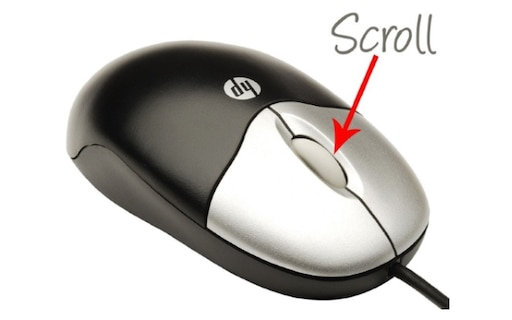
The reason this feels better than Space for bhopping is pretty simple. One flick of your mouse wheel sends several jump inputs instead of relying on one perfectly timed press.
That matters even more after Valve changed bunny hopping in January 2026. CS2 now checks whether your jump input lands inside a small timing window around the exact moment you touch the ground.
Basically, the timing still matters. The scroll wheel just gives you more chances to hit it.
If you want a full setup for it, we already have a mouse wheel jump bind guide.
You can also check our CS2 binds guide if you want to clean up the rest of your controls.
CS2 Auto Bhop Commands
If you are just messing around or practicing movement on your own server, this is the fun setup:
sv_cheats 1
sv_enablebunnyhopping 1
sv_autobunnyhopping 1
sv_airaccelerate 2000
sv_maxvelocity 7000
The main command is:
sv_autobunnyhopping 1
That makes your character automatically jump again while you hold your jump key.
sv_airaccelerate 2000 is what makes the movement feel crazy. It gives you much more control and acceleration while strafing through the air.
This is great for learning how air strafing works or just flying around a map, but do not confuse it with normal Premier movement. Air acceleration is massively boosted here.
If you want a more general practice setup, our CS2 practice commands cover everything from bots to round timers.
You can also use noclip in CS2 to quickly reset yourself between movement attempts, or extend the session using the CS2 infinite time command.
Bunny Hopping Changed in 2026
This is the part most old bhop guides are missing.
Valve changed CS2 jumping on January 21, 2026.
Landing is now calculated using subtick precision. Jumping and landing also stopped using the old stamina system, with the game instead calculating a landing speed penalty based on when and how you land.
Valve also added a specific bunny hop timing window around your landing.
That is why you will still find current looking guides telling you to paste things like sv_staminajumpcost and sv_staminalandcost.
Those commands come from the older jump system and are not the important part of a normal 2026 bhop setup anymore.
Valve even added sv_legacy_jump for private servers if you specifically want the old pre 2026 behavior back.
Movement players noticed the change immediately. When the update first dropped, Reddit was full of people testing old Mirage jumps and saying their muscle memory suddenly felt wrong. Valve adjusted the landing behavior again the next day, and several of those jumps became consistent again.
So if you took a break from CS2 and came back thinking bhopping felt slightly different, there is actually a reason.
How to Actually Bhop in CS2
The command is the easy part.
The movement is what takes practice.
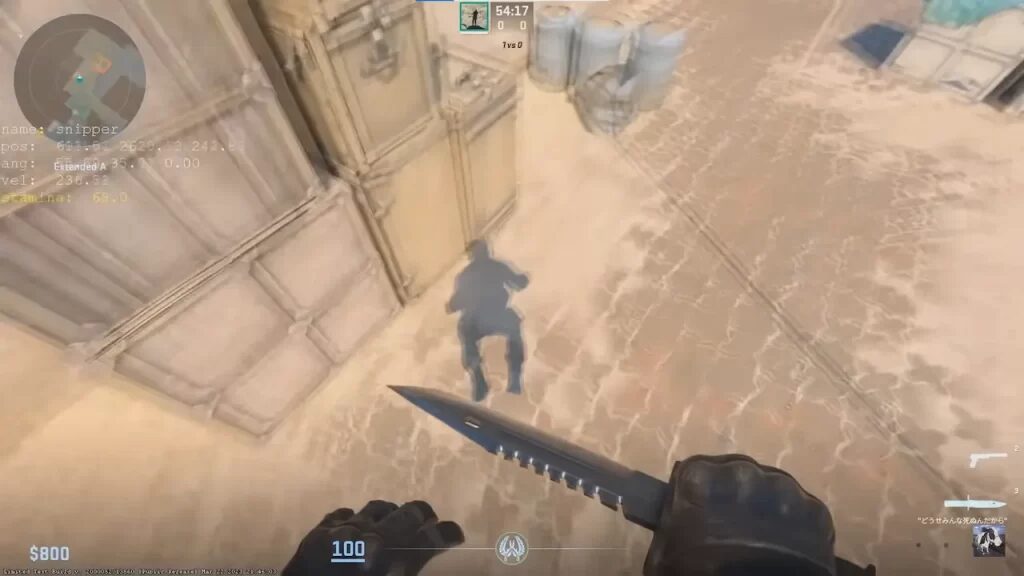
Start running forward and jump. Once you are in the air, let go of W.
If you strafe left, hold A and smoothly move your mouse left.
On the next jump, hold D and move your mouse right.
Keep alternating.
Do not just mash A and D as fast as possible. The movement should feel smooth.
The easiest way to tell whether you are gaining or losing speed is to show your velocity while practicing. Our CS2 velocity command guide explains how to display it.
And if you actually enjoy movement more than shooting bots for an hour, try CS2 surf commands or a KZ server. Recent movement players still recommend KZ as one of the better ways to learn proper air strafing because you get immediate feedback on your speed and movement.
Can You Use Bhop Commands in Premier?
The mouse wheel jump bind works normally.
The auto bhop server commands do not.
You cannot join Premier and type sv_autobunnyhopping 1 to suddenly start flying around the map. Valve controls those server settings.
Also, do not confuse a normal console bind with scripts or macros that automatically spam jumps for you. There are still players passing around AutoHotkey bhop scripts in 2026. I would stay away from them completely on VAC secured servers.
You do not need them anyway.
Use the mouse wheel, learn the timing and accept that you are not supposed to perfectly bhop across the entire map every round.
Bunny hopping still has its place for movement, awkward jumps and occasionally catching a timing. It is just not CS:Source.
If you want to practice with other players, our CS2 private matchmaking guide explains how to set up a private game. You can also use CS2 bot commands to clear or control bots while you practice.
The Setup I Would Actually Use
For real matches:
bind mwheeldown +jump
Then practice the timing properly.
For an offline server where you just want to learn strafing:
sv_cheats 1
sv_enablebunnyhopping 1
sv_autobunnyhopping 1
sv_airaccelerate 2000
sv_maxvelocity 7000
That’s really all you need.
You do not need a 20 line config copied from a six year old CS:GO forum post.
If you eventually want to save all your movement settings permanently, our CS2 config guide explains how to set up your config without pasting everything again every time you launch the game.
Last checked: August 22, 2026.