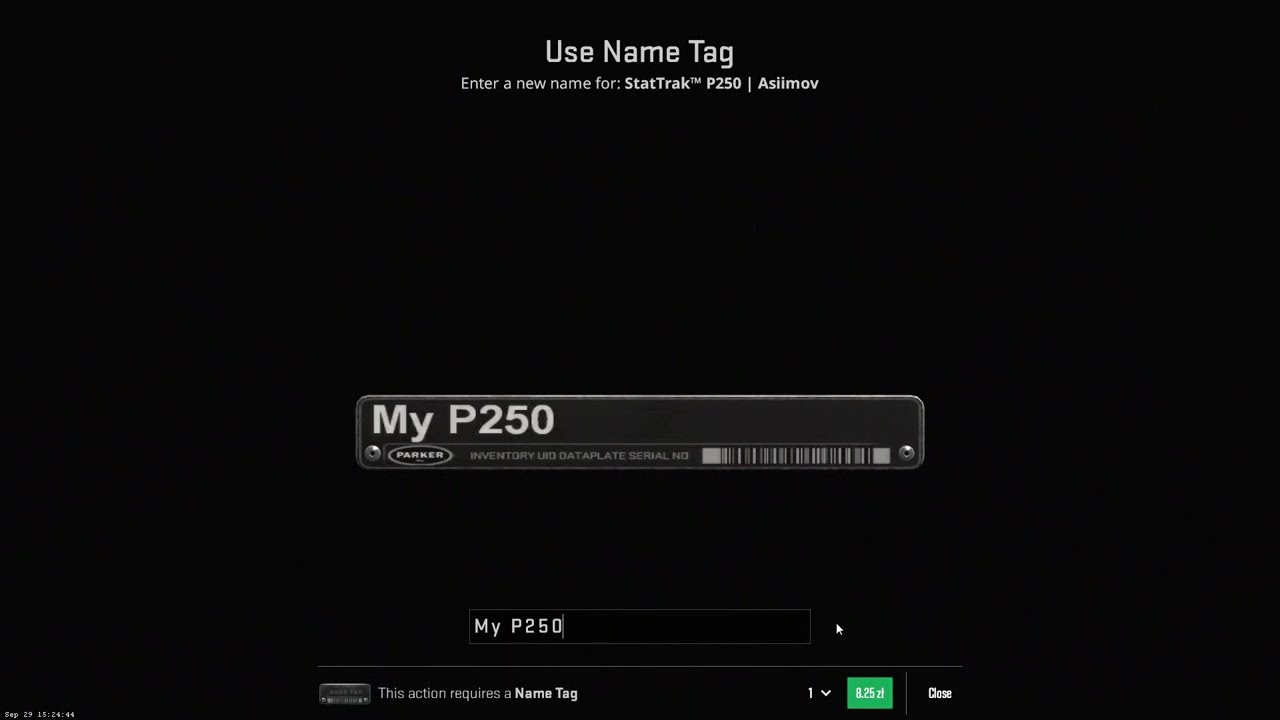
A Name Tag lets you give a CS2 weapon a custom name. Each tag is used once, so changing that name later requires another tag. Removing a name is free, but you do not get the used tag back.
If you bought a skin with someone else’s nickname on it, you can remove that name through the weapon’s Rename menu. If the option is missing, check whether the item is still Trade Protected before buying anything.
CS2 Name Tags at a glance
| What you want to do | What you need |
|---|---|
| Give a weapon its first custom name | One unused Name Tag |
| Replace an existing custom name | Another unused Name Tag |
| Remove a custom name | No new tag; removal is free |
| Move an applied tag to another weapon | Applied tags cannot be transferred |
| Rename a Trade Protected skin | Wait until its protection expires |
How to rename a skin in CS2
You can buy a Name Tag from the in-game store. Valve’s listed price is $1.99 USD; check the amount shown in your own currency before paying.
Once you have an unused tag:
- Open CS2, then go to Inventory.
- Select the Name Tag and choose its use option.
- Pick the weapon you want to name.
- Enter your chosen name and check the preview.
- Confirm the application.
The tag is consumed when you confirm. Check the spelling and make sure you selected the right item, especially if you own several versions of the same skin.
You can also apply a new tag to an already named weapon to replace its current name. You do not need to remove the old name first.
Buying tip: Valve’s November 12, 2025 update made newly purchased Name Tags non-tradable and non-marketable. Buy a tag because you intend to use it, rather than assuming you can sell it afterward.
How to remove a Name Tag in CS2
To remove the name from a weapon you own:
- Open your Inventory inside CS2.
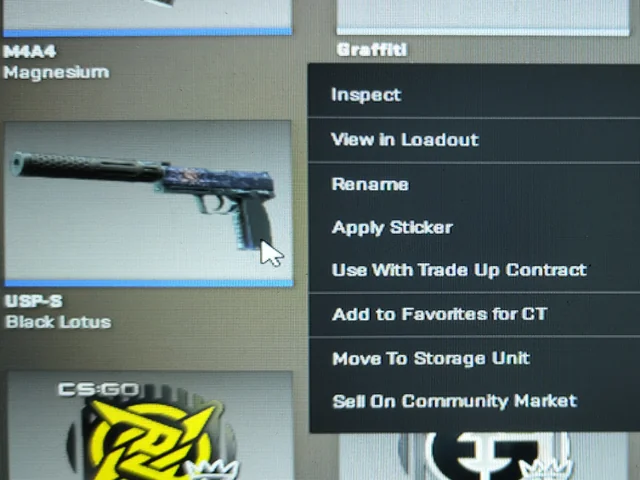
- Select the named weapon and open its item menu.
- Choose Rename, then Remove Name.
- Confirm the removal.
This restores the weapon’s original item name. It does not delete the skin, remove its stickers, or return an unused Name Tag to your inventory.
For example, if you buy an AK-47 | Slate with a nickname you dislike, you can remove the nickname without paying for another tag. You only need a new tag if you want to replace it with your own name.
Valve documents the removal process in its official Name Tag FAQ.
Why can’t you rename a skin or remove its name?
The skin is Trade Protected
Under Valve’s Trade Protection rules, a skin received through a Steam trade is Trade Protected for seven days. During that period, it cannot be modified, which blocks name changes as well as other customization.
Check the protection notice and expiry on the item. If it is still protected, wait for that timer to finish. Buying another Name Tag will not bypass the restriction.
Be careful with the wording: a restriction on trading or selling an item is not automatically the same as Trade Protection. Read the actual notice rather than assuming every seven-day timer blocks the same actions.
Our CS2 trade hold and Trade Protection guide explains the different restrictions.
You are trying to customize a rented skin
Rented weapons cannot have Name Tags applied. They are temporary items with customization restrictions, even though you can equip them in matches.
See our CS2 skin rental guide if you are unsure whether the weapon is rented.
You are trying to replace a name without another tag
Removing a name and changing it are different actions. Removal is free. Replacing it with new text consumes another Name Tag.
If the item is eligible for modification, check that you have an unused tag before trying to apply a new name.
Name Tag length and symbols
CS2 weapon names have a 20-character limit, including spaces. Names cannot begin with a space.
Letters, numbers, and supported punctuation are the simplest choices. Check the naming preview before confirming, particularly if you paste symbols or stylized text. A character appearing correctly on a website does not guarantee it will display the same way on the weapon.
Keep the name readable and follow Steam’s content rules. You cannot freely reposition the physical nameplate to make a long name fit a different part of the gun.
Does renaming change the skin itself?
A custom name does not change the skin’s finish, pattern, or float value and wear. Renaming a Field-Tested weapon will not make it Factory New.
It also does not turn a normal weapon into a StatTrak item. Our guide to StatTrak in CS2 explains how the kill counter differs from a custom name.
For resale, do not assume the cost of a Name Tag adds the same amount to the skin’s value. Choose a name you enjoy using. Applied sticker pricing is a separate question, covered in our guide to how stickers affect CS2 skin value.
Frequently asked questions
Does a Name Tag stay on a skin when you sell or trade it?
Yes. The custom name stays with the item until an owner removes or replaces it.
Can you reuse a Name Tag after removing it?
No. Application consumes the tag. Removing the name does not recover it.
Can you name a knife in CS2?
Yes. Eligible knives can be named using a Name Tag. Check the item’s restrictions before applying one.
Can you fix a typo after applying a Name Tag?
You need another Name Tag to replace the text. If you simply want the original weapon name back, remove the custom name for free.