By Rob | Updated November 3, 2026
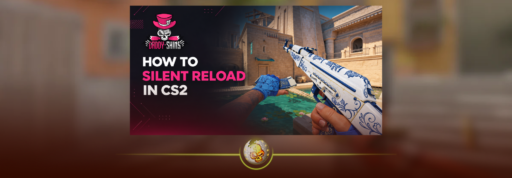
To silent reload in CS2, press and hold your reload key, normally R. It reloads more slowly without the usual reload sound. Choose Hold to keep the key pressed throughout, or Toggle to release it once the silent reload begins.
In Toggle mode, tapping reload again switches back to a fast reload. The decision is simple: do you need to stay quiet, or get your gun ready sooner?
How to enable silent reload
- Find Silent Reload Mode in CS2 Settings.
- Select Hold or Toggle.
- Get behind cover, then hold your reload key to begin.
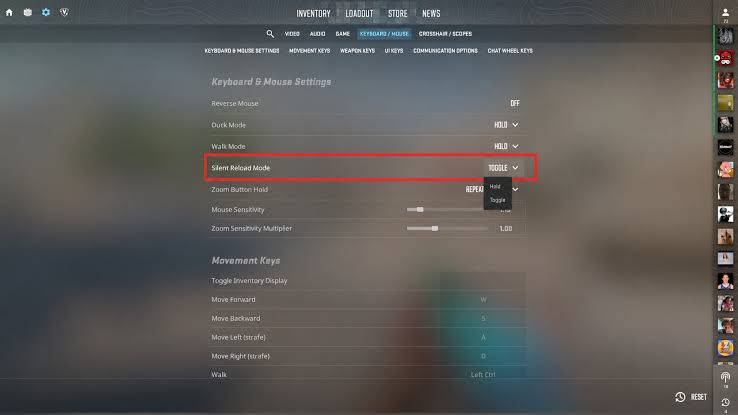
Toggle still requires a held press to start. It lets you stop holding the button afterward. A quick tap is your normal reload.
No special script is needed. If you changed R, use your assigned key. See our CS2 keybind guide for remapping controls and our CS2 settings guide for the wider setup.
Hold vs Toggle: which should you use?
| Action | Hold | Toggle |
|---|---|---|
| Start silently | Hold reload | Hold reload |
| Continue silently | Keep holding | Release after it begins |
| Return to fast reload | Release reload | Tap reload again |
Try Toggle if holding R interferes with your movement fingers. Choose Hold if maintaining a button press feels more predictable. Pick for comfort, then practise the input until you can change it without looking down.
When is silent reload worth it?
Use it when you have safe cover, spare time and a position the enemy has not confirmed.
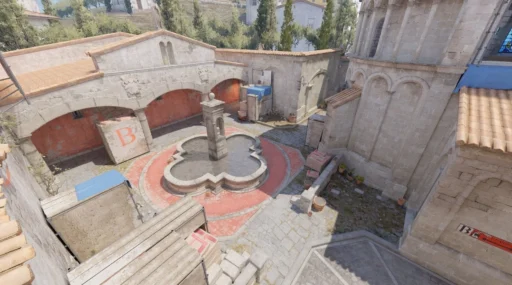
Picture a Mirage clutch: you take a fight, move out of sight and hide somewhere new. A loud reload could reveal which corner you chose. Reloading quietly helps preserve that uncertainty, provided nobody can reach you before you finish.
Learn nearby routes with our Mirage callouts guide, and tell a teammate which entrance needs covering.
Choose a normal reload when a push is imminent. Approaching footsteps, an exposed position or a teammate needing immediate help can make speed more valuable than silence.
You may not need a reload at all. A few remaining bullets can be enough for the next fight. Our CS2 aiming guide covers improving shot placement.
Before pressing R, check your ammunition, the nearest enemy route and the round clock. Silence cannot protect you from someone already clearing your corner. It is useful when it denies information the opponent could actually act on.
Why does silent reload still make a sound?
Valve’s October 28 update fixed cases where the first reload sound remained audible despite requesting a silent reload. The October 8 update also fixed a Desert Eagle silent reload sound event.
To check what enemies hear, test with a friend on the opposing team. Compare normal and silent reloads in a private session. Our practice commands help with setup; check your audio settings before comparing cues.
Quick questions
Does switching to fast reload let you shoot immediately?
No. Returning to fast reload changes how the reload continues. Wait until your weapon is ready before leaving cover.
How much slower is silent reload?
Valve says it takes longer, but the announcements checked here do not include a complete weapon timing table. Practise with your preferred weapons rather than assuming one universal duration.
Does it hide every sound you make?
No. It concerns reloading, so running and other noisy actions still need consideration. The CS2 beginner’s guide covers the basics.
When was it added?
Silent reload arrived with Rush Hour in September 2026. The October 28 patch added Hold/Toggle selection. The earlier ammo-discard changes are a separate mechanic.
Controls checked against Valve’s September 22 and October 28, 2026 announcements. Tactical examples are guidance, not in-game timing tests.