Pro-Level Config for Precision, Clarity & Competitive Edge
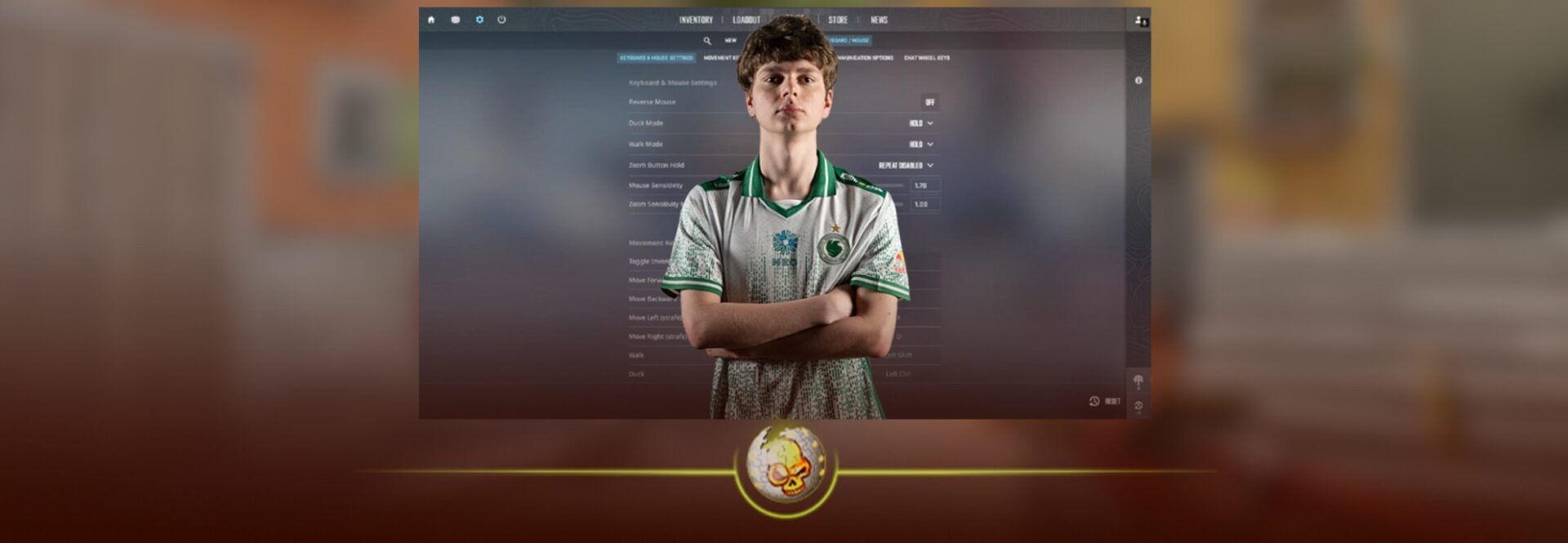
Maxim “kyousuke” Lukin is one of the most exciting rising stars in Counter-Strike 2. At just 17 years old and playing as a rifler for Falcons Esports, his settings have become a go-to base for players looking for a clean, competitive setup that balances precision with responsiveness. If you want to experiment with pro-inspired configs and see how a future elite player tunes his game you’re in the right place.

🎯 Crosshair Settings – Clean for Headshots
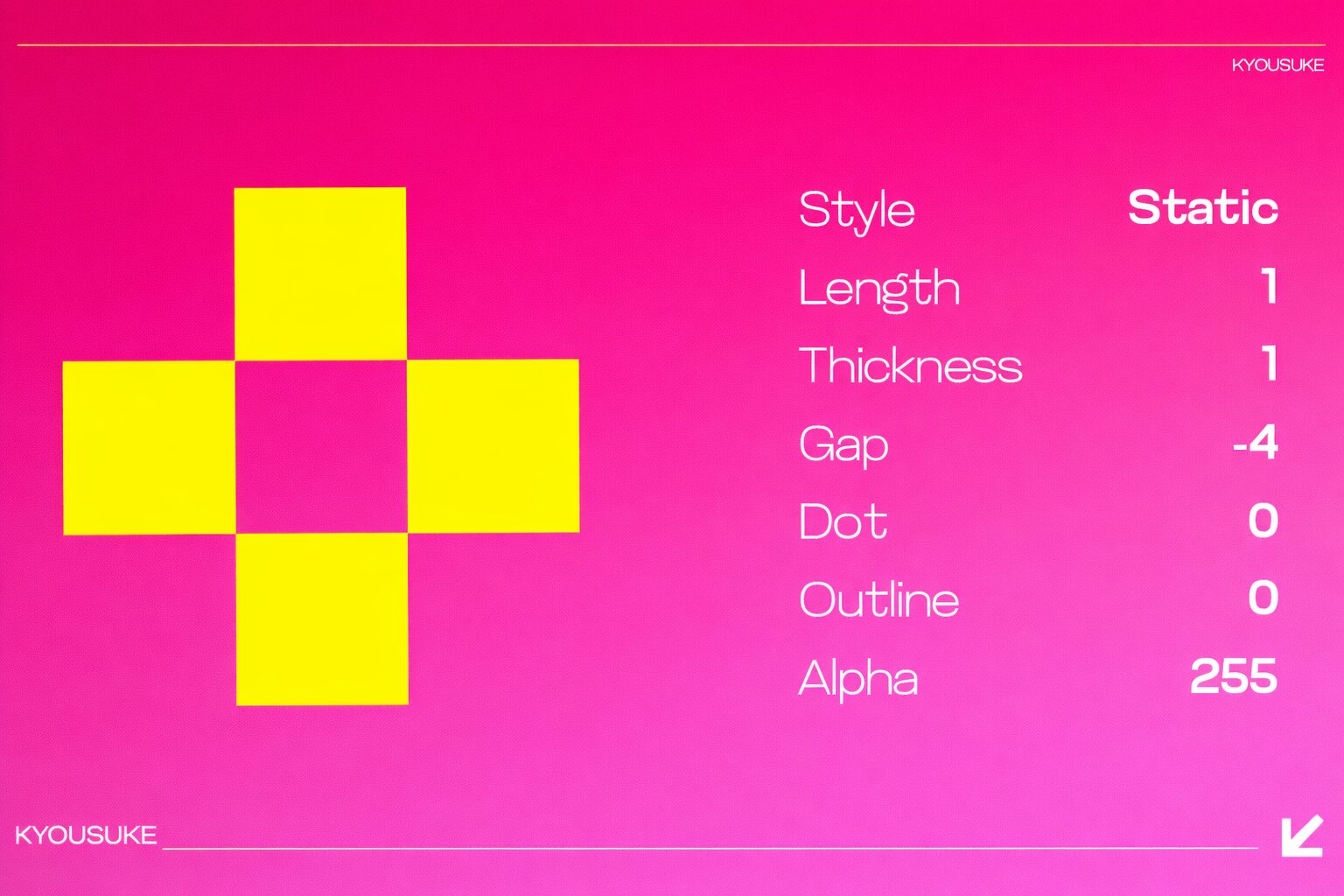
Kyousuke runs a minimalist crosshair that reduces clutter and keeps aim focus centered, which helps especially at high levels of play.
| Setting | Value |
|---|---|
| Crosshair Code | CSGO-4ttyQ-vfwMK-Gz9fL-hY6zW-4fWjM |
| Style | Classic Static |
| Follow Recoil | No |
| Dot | No |
| Length | 1 |
| Thickness | 1 |
| Gap | -4 |
| Outline | No |
| Color | Yellow (0, 255, 135) |
| Alpha | 255 |
👉 This tiny, high-contrast crosshair stays out of the way but gives clear visual cues for headshots and tight spraying.
🖱️ Mouse & Sensitivity – Balance and Control
Kyousuke’s mouse setup is smooth and controlled — ideal for flicking and tracking alike.
| Option | Value |
|---|---|
| DPI | 800 |
| In-Game Sensitivity | 1.28 |
| eDPI | 1024 |
| Zoom Sensitivity | 1.00 |
| Windows Sensitivity | 6 |
| Polling Rate | 1000 Hz |
A balanced mid-range sensitivity that lets you track smoothly while still reacting quickly to threats.
👀 Viewmodel Settings – Player Awareness
These settings determine how your weapon and HUD look on screen. Kyousuke keeps it simple while prioritising field visibility.
| Setting | Value |
|---|---|
| FOV | 68 |
| Offset X | 2.5 |
| Offset Y | 0 |
| Offset Z | -1.5 |
| Preset Position | 1 |
🖥️ Video & Graphics Settings – Clarity & Visibility
Kyousuke leans into performance and contrast to keep enemies visible and gameplay smooth.
Display & Scaling
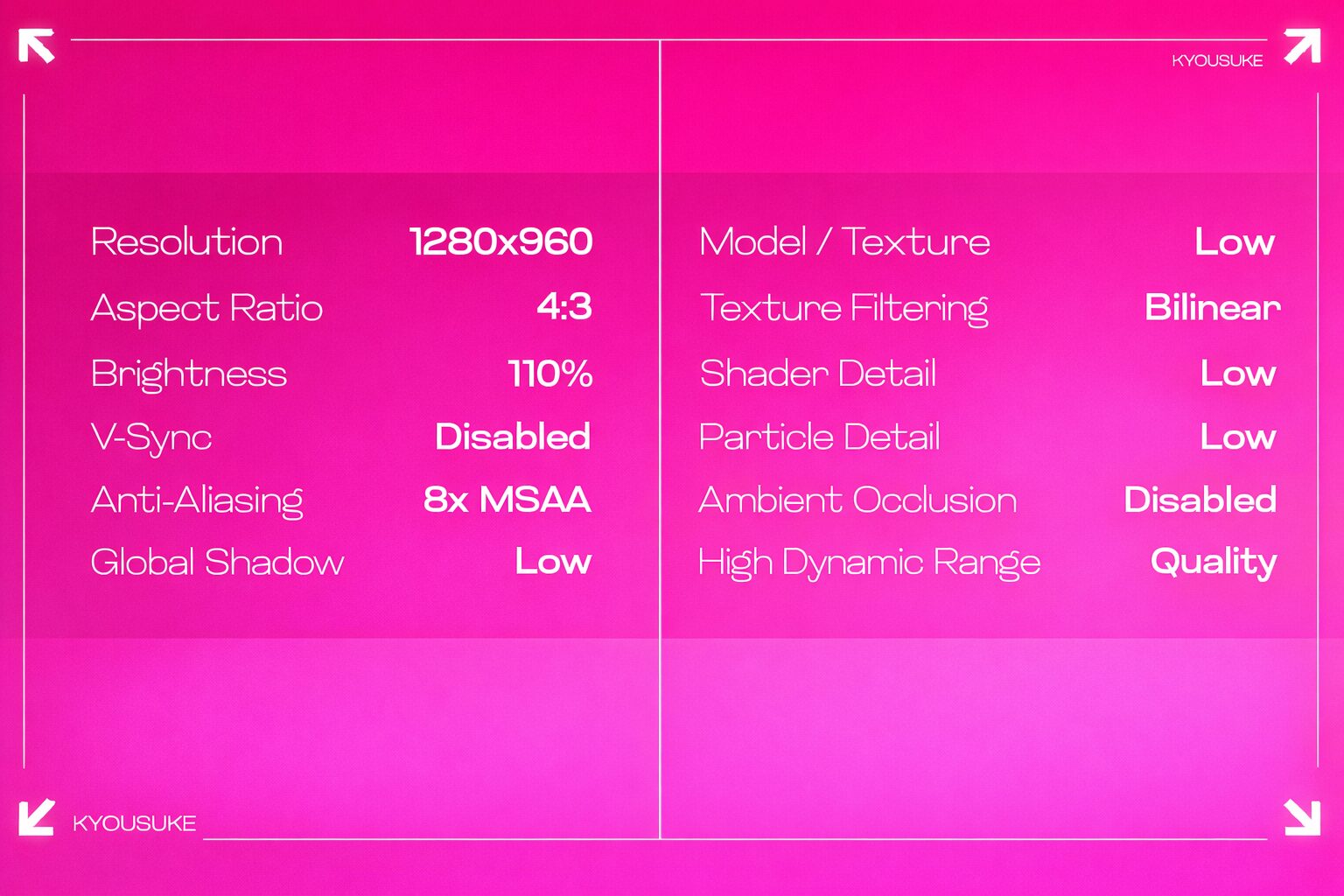
- Resolution: 1280×960
- Aspect Ratio: 4:3
- Scaling: Stretched
- Display Mode: Fullscreen
- Brightness: 110%
- Boost Player Contrast: Enabled
- V-Sync: Disabled
- NVIDIA Reflex Low Latency: Disabled
- AA Mode: 8x MSAA
Quality & Detail
- Texture Detail: Low
- Shader Detail: Low
- Particle Detail: Low
- Texture Filtering: Bilinear
- Global Shadow Quality: Low
- Ambient Occlusion: Disabled
Lower settings reduce visual noise and help keep your FPS high.
🖱️ Monitor & Gear – Pro-Level Equipment
Here’s the hardware backing this professional setup:
Monitor
- ZOWIE XL2546K
- DyAc: Premium
- Black eQualizer: 15
- Color Vibrance: 15
Gear
- Mouse: Logitech G Pro X Superlight 2 Magenta
- Keyboard: Logitech G Pro X (GX Blue Clicky)
- Headset: HyperX Cloud II
- Headphones: Linsoul 7HZ Timeless
- Mousepad: SteelSeries QcK Heavy
These choices favour consistency, comfort, and responsiveness — crucial for long competitive sessions.
💡 Setup Tips From Kyousuke
Kyousuke’s settings show that you don’t need ultra-complex binds or flashy visuals to play like a pro consistency matters more.
Pro Tips
- Stick with something comfortable and give it time.
- Don’t constantly switch your settings muscle memory is real.
- Use his config as a baseline, then tweak it to match your playstyle.
“These settings are a strong foundation, but what feels perfect for him might not feel perfect for you and that’s okay.”
Read More From Daddyskins
- CS2 Major Budapest Results Vitality Win StarLadder Major Back to Back
- How to test skins in CS2 before buying them
- How to Get the 2025 Service Medal in CS2
- What Is Follow Recoil in CS2 Guide for Better Spray Control
- Abertura de Caixas CS2: Guia Completo
- DaddySkins Interview
- CS2 Removes All Rare Case Drops From the Active Drop Pool
- Cheapest Red Skins CS2 (UPDATED)
- Top 5 Rarest CS2 Cases Right Now
- CS2 Removing Cases by 2026
- ropz CS2 Settings, Crosshair, Config & Gear (2025)
- CS2 to Valorant Sens Converter How to Match Your Sensitivity Exactly
- What Is ADR in CS2? Damage Per Round Explained Simply
- Wingman Ranks in CS2: Full Guide [2026]
- CS2 developers hint at Cache returning in 2026
- CS2 Premier Season 3 end date and Season 4 start date
- How to Fix Packet Loss in CS2 (2026)
- 100 Thieves CS2 is back and the roster is now complete
- RYU CS2 Player Profile & Biography
- CS2 Bunny Hop Command
- SpotGuesser CS2 Guide (Spotguessr)
- BLAST Bounty Winter 2026 Schedule, Prize Pool, and Streams
- Aurora CS2 Team, Players and Stats
- Monte CS2 Team Roster Players Results and 2026 Outlook
- CS2 Premier Season 4: Everything You Need to Know
- CS2 Sticker Crafts of 2026 Best and Cleanest Craft Ideas
- CS2 Update 2026: Train Out, Anubis In, and Why This Week Matters
- CS2 Premier Season 4: Start Date, Changes & What You Need to Know
- CS2 Premier Season 4 Leaks
- CS2 Premier 4 Skins & Knives – What We Know
- Harlequin & Achroma COLLECTION SKINS In-Game (New CS2 Update)
- CS2 update today full patch notes and changes explained
- IEM Kraków 2026 Stage 1 Preview and Predictions for CS2
- Cache return rumors resurface in CS2
- CS2 Patch Update January 30, 2026
- New CS2 Skins Just Dropped: Season 4 CS2 Skins
- Cheapest Pink CS2 Skins in 2026
- Valentine’s Day CS2 Skins
- Mudryk CS2 Faceit Ban Explained
- Movement Hub for CS2 Workshop Ranked 2026
- CS2 Danger Zone In 2026
- Esports Nations Cup 2026: What ENC Means for CS2
- When is the next CS2 tournament 2026
- IEM Atlanta 2026 CS2 Preview Teams Format Schedule
- Radar & Minimap Settings Guide for CS2