

The Bayonet | Tiger Tooth is our first pick if you want a bright finish without choosing between Doppler phases or paying for a particular Fade percentage. Ultraviolet suits a black and purple loadout, while Fade and Marble Fade offer two very different ways to add more colour.
The best Bayonet skin depends on the exact copy, though. Wear, pattern placement and finish variants can matter more than the name on the listing.
This guide covers the standard Bayonet. The M9 Bayonet is a separate knife model with its own listings.
Best Bayonet Skins at a Glance
These are editorial picks based on appearance, available wear levels and the decisions involved in choosing a copy.
| Bayonet skin | Our pick for | First thing to check |
|---|---|---|
| Tiger Tooth | Bright orange and black | Factory New versus Minimal Wear asking prices |
| Ultraviolet | Black and purple loadouts | Scratches across the painted blade |
| Black Laminate | A subdued, worn metal look | Whether you actually prefer the cleaner copy |
| Lore | Gold colour and detailed artwork | Wear across the blade and knotwork |
| Slaughter | A reflective red finish | The exact pattern and available wear options |
| Fade | A smooth colour gradient | Pattern seed and Fade coverage |
| Marble Fade | Contrasting colours | Colour placement on the side visible while holding it |
| Doppler | Choosing a particular colour palette | Phase or gem variant before comparing prices |
Prices change, so compare available listings for the exact version you want. A starting price for a worn copy does not tell you what a clean one costs.
1. Bayonet | Tiger Tooth
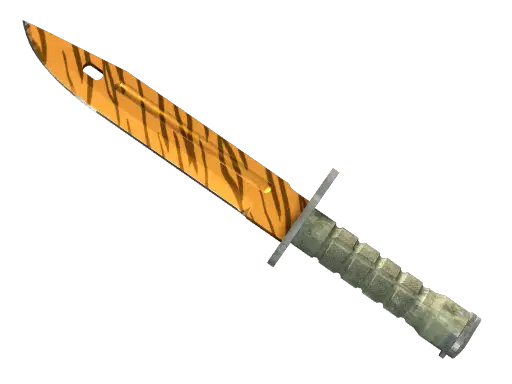
Tiger Tooth pairs an orange metallic finish with dark stripes. The design is easy to recognise along the Bayonet’s straight blade, making it our first shortlist choice for an orange or gold loadout.
It comes in Factory New and Minimal Wear. Compare both before buying: a worse exterior label does not automatically mean a lower asking price, especially when fewer copies are listed.
Buying tip: Inspect the stripes and blade, then compare the actual price gap. There is no Doppler phase to identify here.
2. Bayonet | Ultraviolet
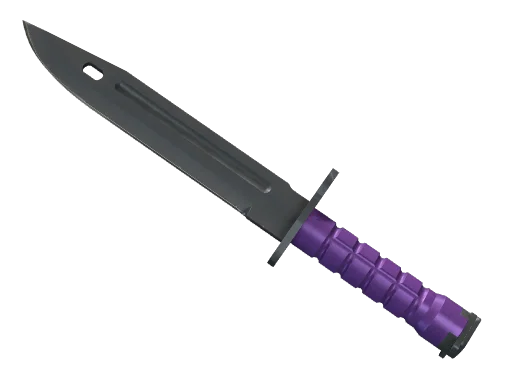
Ultraviolet combines a black blade with purple accents. It is our pick if you want the knife to fit a dark inventory without a multicoloured finish drawing most of the attention.
Condition deserves a close look. Scratches interrupt the solid painted areas, so two Field Tested copies can be worth comparing even when they share an exterior label.
Buying tip: Inspect a lower float Field Tested copy beside Minimal Wear. Use our CS2 float and wear guide to understand what those labels cover.
3. Bayonet | Black Laminate
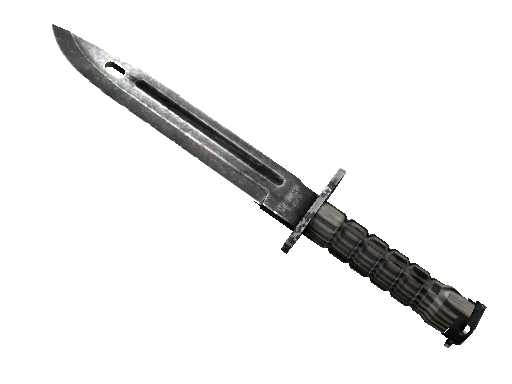
Black Laminate combines a stonewashed blade with a dark laminate handle. It suits players who prefer a practical metal appearance over bright paint or reflective colour.
Start by comparing several conditions. The question is whether you like the cleaner version enough to pay the difference. A worn finish can fit this style of inventory perfectly well.
Buying tip: Include Field Tested, Well Worn and Battle Scarred in your shortlist. Choose the appearance you prefer before chasing Factory New.
4. Bayonet | Lore
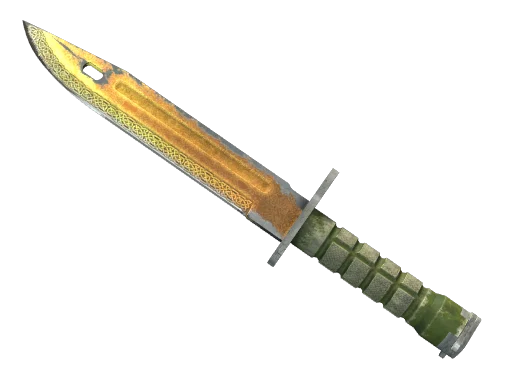
Lore is our pick for a gold blade with more detail than Tiger Tooth. Its knotwork gives you something to look at during inspection, while the gold colour carries the design when you are holding it normally.
Compare the visible condition of that artwork before deciding how much to spend. A cheaper exterior can still deliver the colour you want, but it may not preserve the detail you liked in a preview.
Buying tip: Compare Field Tested with Minimal Wear using the same lighting and angle. Focus on the blade itself, rather than the exterior badge.
5. Bayonet | Slaughter
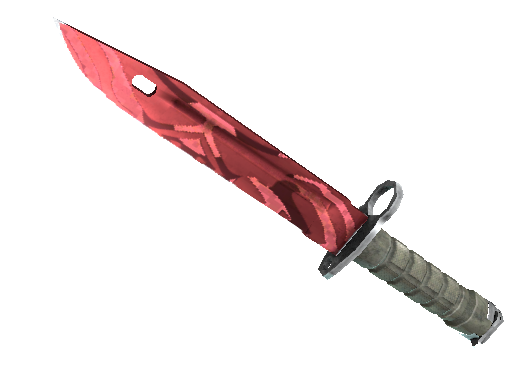
Slaughter uses reflective patterning beneath a red coating. It is our pick for a red loadout when you want a metallic finish rather than a flat painted surface.
It exists in Factory New, Minimal Wear and Field Tested. In the Steam listings checked on November 21, 2026, Minimal Wear was listed below Field Tested. That relationship can change as listings sell, so check all three conditions.
Buying tip: Look at the exact pattern you are buying. Our CS2 pattern index guide explains how a paint seed differs from float.
6. Bayonet | Fade
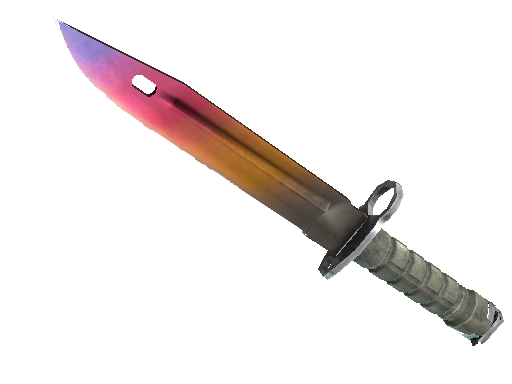
Fade spreads a smooth colour gradient along the blade. It is a strong choice if you prefer a gradual transition between colours to the separate patches of a Marble Fade.
It comes in Factory New and Minimal Wear. Condition is only part of the comparison: the pattern changes the gradient’s coverage and placement.
Buying tip: A low float does not prove that a Fade has the coverage you want. Verify the seed and inspect the individual knife before paying a pattern premium.
7. Bayonet | Marble Fade
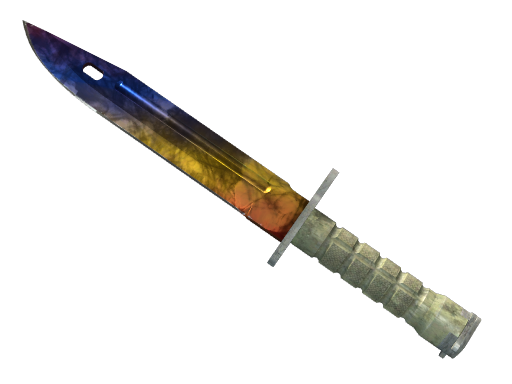
Marble Fade brings contrasting red, blue and yellow areas to a glossy blade. It is our choice for players who want several distinct colours visible together.
Like Fade, it comes in Factory New and Minimal Wear. Unlike Fade, you are comparing the arrangement of marbled colour patches rather than a smooth gradient.
Buying tip: Check the side visible during normal play. If a seller charges extra for a named collector pattern, verify that classification before accepting the price.
8. Bayonet | Doppler
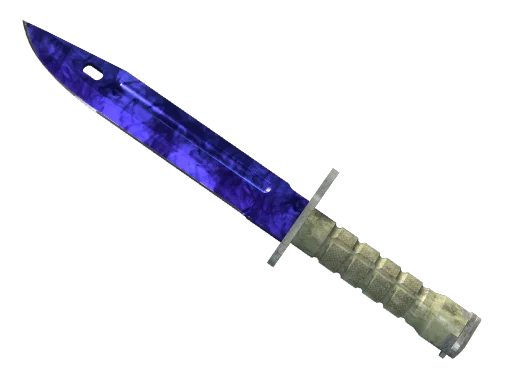
Doppler is the option to shortlist when a particular colour palette matters most. Different phases and gem variants can look very different despite sharing the Doppler name.
Identify the version before comparing prices. A general Doppler starting price is not a quote for the pink, blue or gem appearance you have in mind.
Buying tip: Use our Bayonet Doppler guide for the phase breakdown, then inspect the exact copy. Gamma Doppler is a separate finish.
Check These Before Buying a Bayonet
- Confirm the model. Bayonet and M9 Bayonet are separate items. Our CS2 knife tier list compares the wider selection.
- Match the listing details. Compare finish, exterior, float, pattern and normal or StatTrak version.
- Preview the complete combination. Use a CS2 skin inspect server to check the knife with your gloves. Our glove and knife combos can help you shortlist colours.
- Compare equivalent prices. Check currency, fees and item availability. Steam Wallet prices and cash marketplace prices are different comparisons.
Frequently Asked Questions
Which Bayonet skins only come in Factory New and Minimal Wear?
Tiger Tooth, Fade, Marble Fade and Doppler all have those two exterior options. Slaughter also has Field Tested. Ultraviolet, Black Laminate and Lore are available across all five standard wear categories.
Should you always buy the lowest float?
No. Compare how the copies look and what they cost. On a pattern dependent finish, colour placement may matter more to you than a small difference in float.
Is the Bayonet the same as the M9 Bayonet?
No. They are separate knife models. Check the full item name before comparing listings or confirming a purchase.