By Rob | Updated November 15, 2026
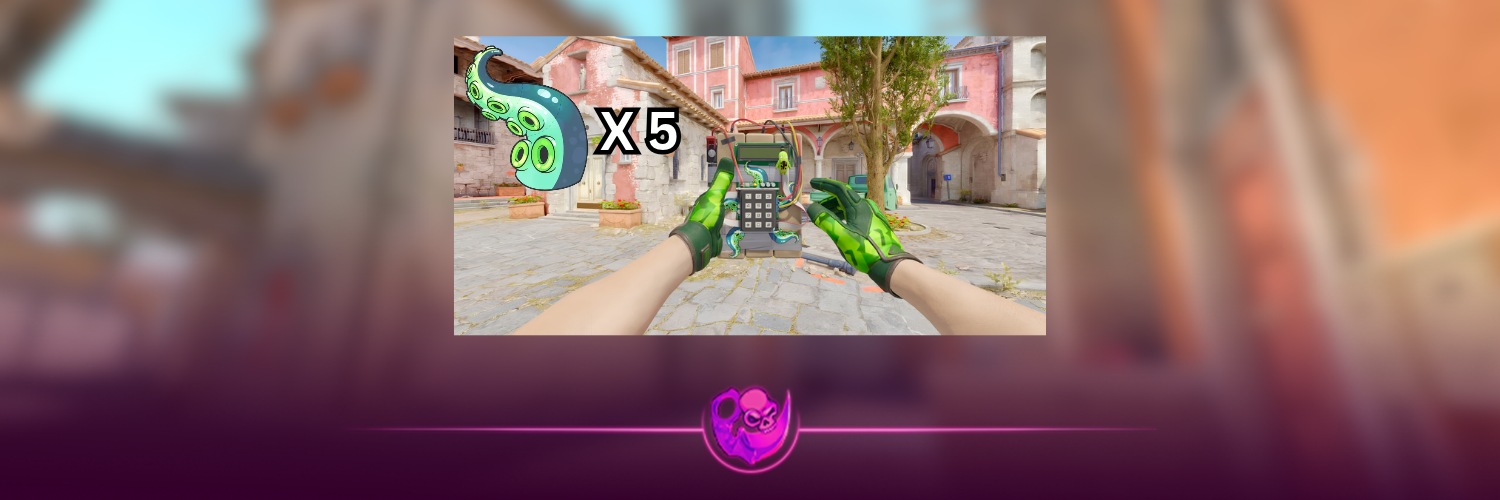
The best C4 sticker crafts turn the bomb’s screen, keypad and tape into part of the design. You can give it a face, build a gold keypad or make the display look like a tiny arcade game.
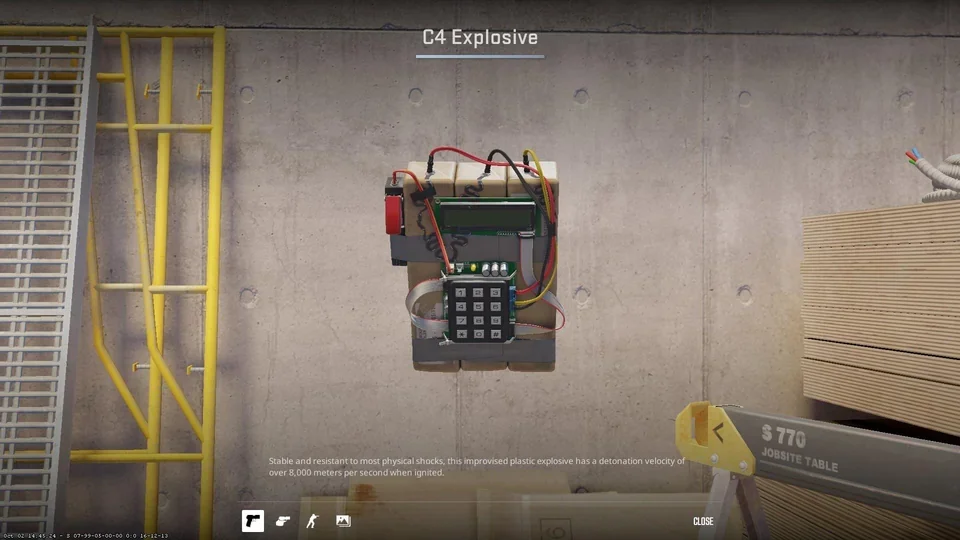
CS2 supports stickers on the C4, with up to 5 sticker slots to work with. Below are 10 community designs, their ingredient lists and practical notes for recreating the look. For rifle and pistol ideas, see our best CS2 sticker crafts. counter-strike.net
Best C4 Sticker Crafts at a Glance
| Craft | Stickers needed | Choose it for |
|---|---|---|
| Extra Wiring | 4 | A simple first project |
| White Warning Keypad | 5 | A clean finish |
| Gold Keypad | 5 | Metallic styling |
| Rainbow Keypad | 5 | Bright colors |
| Pink Bow | 5 | A framed display |
| Googly-Eyed Face | 4 | A changing expression |
| Broccoli Hair | 5 | A recognizable joke |
| Adidas Logo | 5 | Precise logo work |
| Flappy Bird | 4 | Pixel art |
| Olofmeister Tribute | 5 | Counter-Strike history |
These counts match the versions described here. Other community variations may use different quantities.
How to Make a C4 Sticker Craft
Find the C4 Explosive in your inventory and select the sticker application option. Check the finish as well as the name: Paper, Foil and Holo versions can produce different results.
- Preview your first sticker and position it using the C4’s edges as guides.
- Adjust rotation and, where needed, scrape level before confirming.
- Build the arrangement gradually, checking alignment after each addition.
- Inspect from more than one angle before committing to the next sticker.
Applied stickers cannot be moved. Scraping is permanent, and removing a sticker destroys it. Our sticker removal guide explains the differences. store.steampowered.com
If you use a CS2 inspect server for a rehearsal, first check whether it supports C4 customization and custom sticker placement.
1. Extra Wiring
Stickers: 4 × ZZZAP!
Distribute the cable designs across the taped sections. Try rotating each copy differently so the cables travel around the casing instead of forming four identical stamps.
This is our starter pick because it uses one sticker type and leaves a slot free. It also suits a black CS2 loadout.
2. White Warning Keypad
Stickers: 4 × WARNING, 1 × WARNING (Foil)
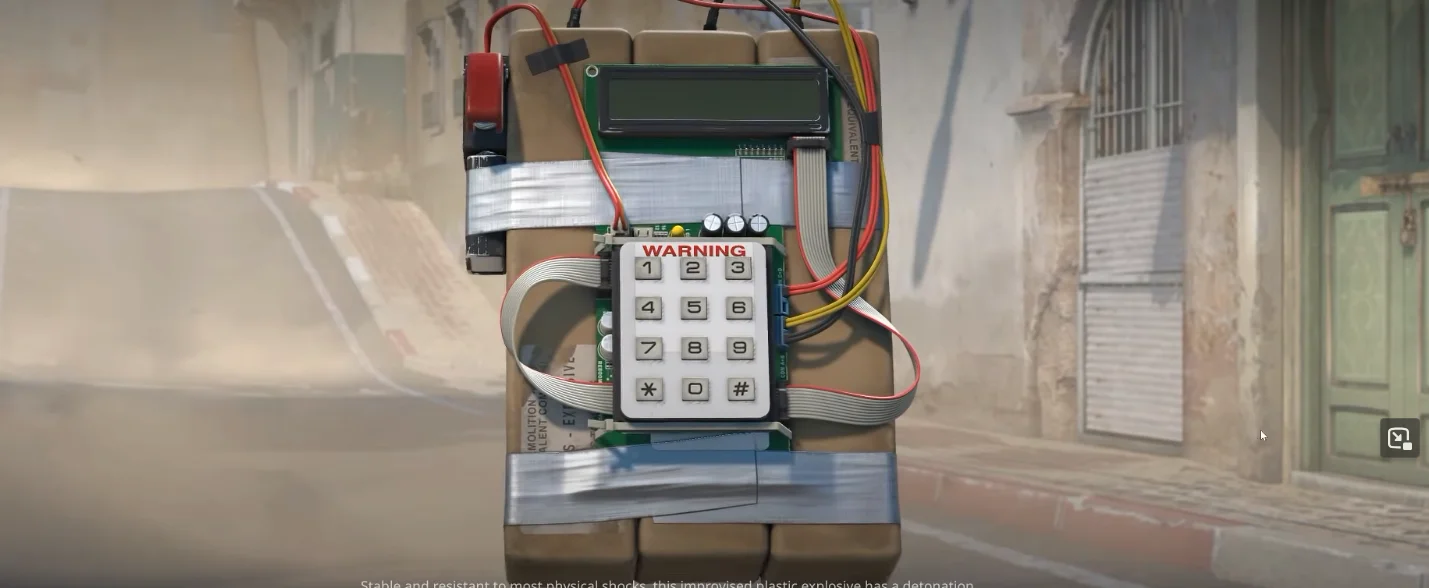
Use the scraped paper stickers to build a pale keypad surround, then position the Foil lettering above the keys.
Compare the left and right edges before finishing the background. Small gaps can spoil the effect of a single panel. This is a good match for white CS2 skins. SIH.APP blog
3. Gold Keypad
Stickers: 5 × Censored (Foil)
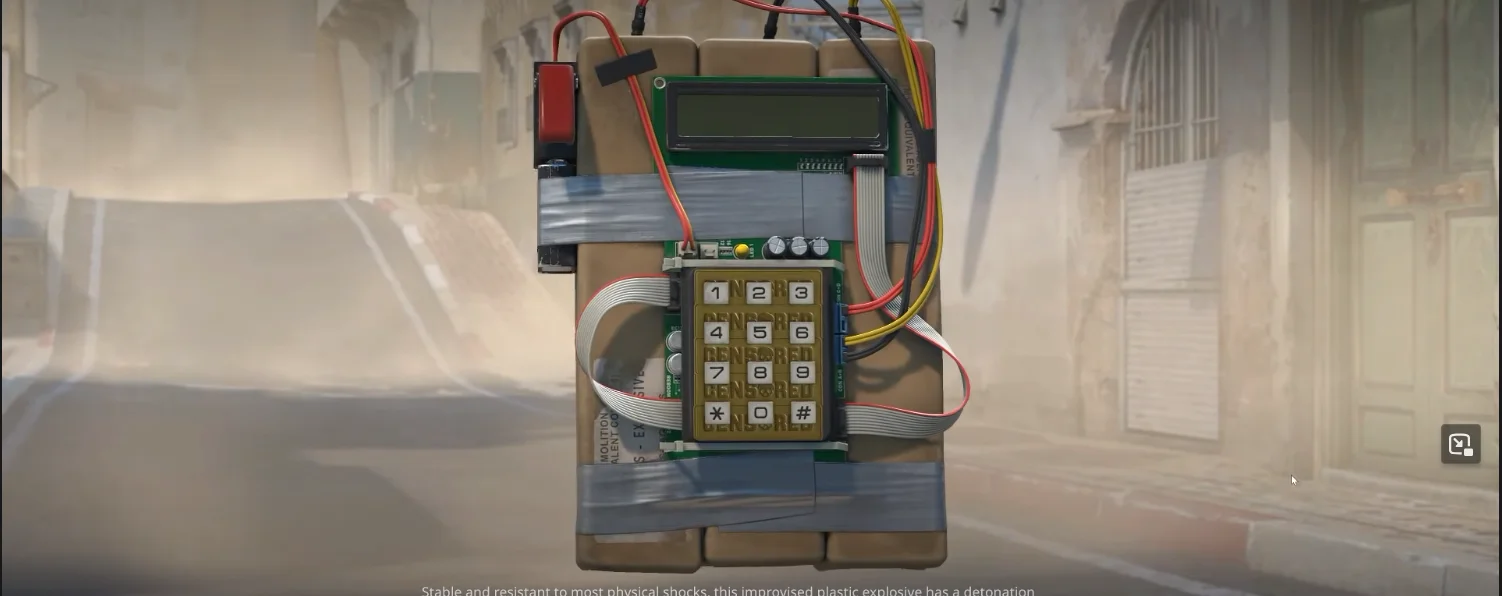
Arrange the gold blocks across the keypad area, working toward consistent coverage.
Check this one in bright and shaded lighting before choosing it. The appeal is the metallic surface, so a flat marketplace thumbnail tells only part of the story. Pair it with gold CS2 skins if you want a coordinated inventory. BUFF Market
4. Rainbow Keypad
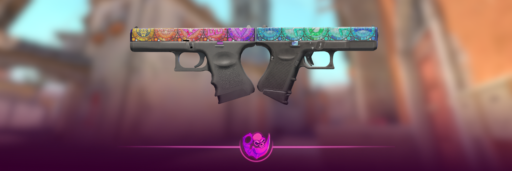
Stickers: 5 × Rainbow Route (Holo)
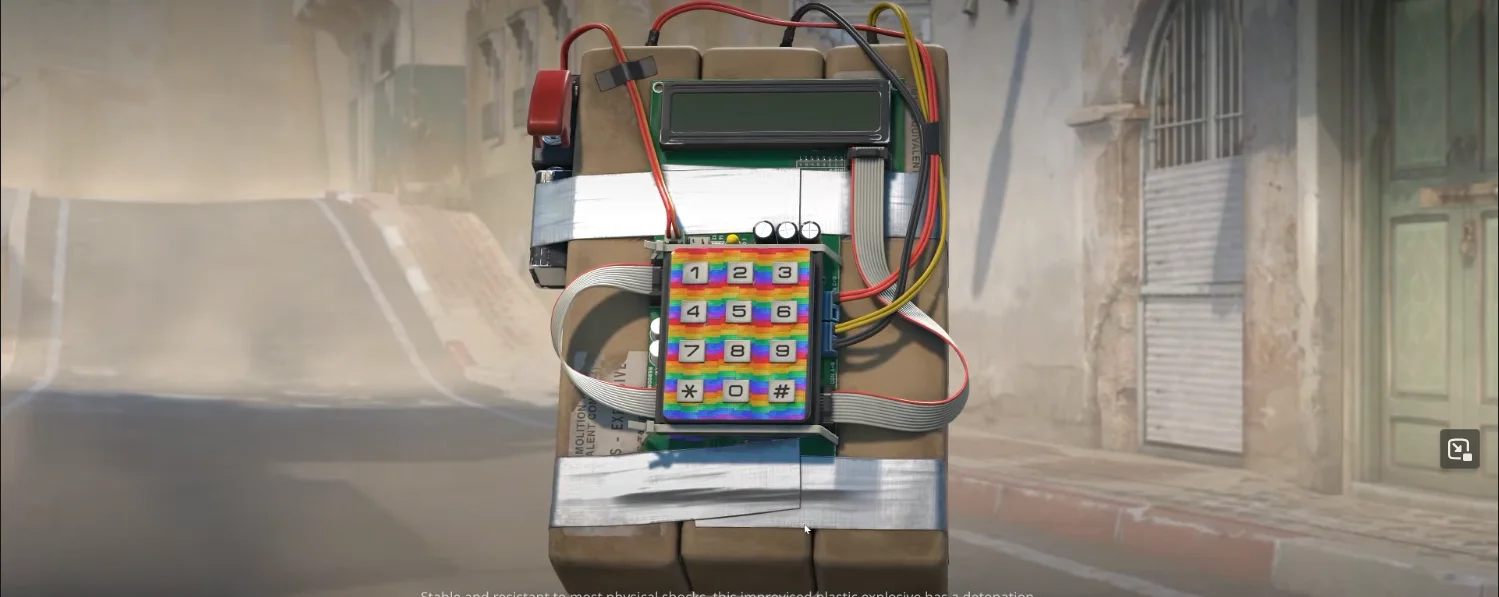
Cover the keypad background with the repeating colored design. Aim for aligned bands, using the rows of buttons as reference points.
Settle on one rotation before applying the full set. Slightly different angles can make a repeated pattern look untidy. Inspect the Holo finish while turning the C4. skinrave.gg
5. Pink Bow
Stickers: 4 × Please Be Patient, 1 × Ribbon Tie
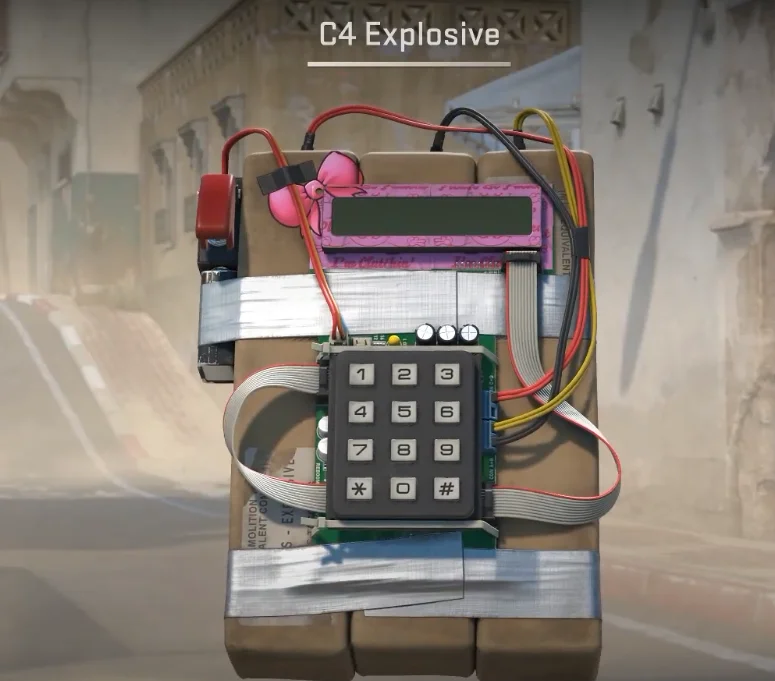
Frame the display with pink, then use the bow as the finishing detail.
Start your layout around the screen’s corners. Prioritize an even border over filling every visible patch of casing. If you want to extend the theme to your weapons, browse our pink CS2 stickers.
6. Googly-Eyed Face
Stickers: 2 × Googly Eye (Lenticular), 1 × Mustachio (Foil), 1 × Taste Bud
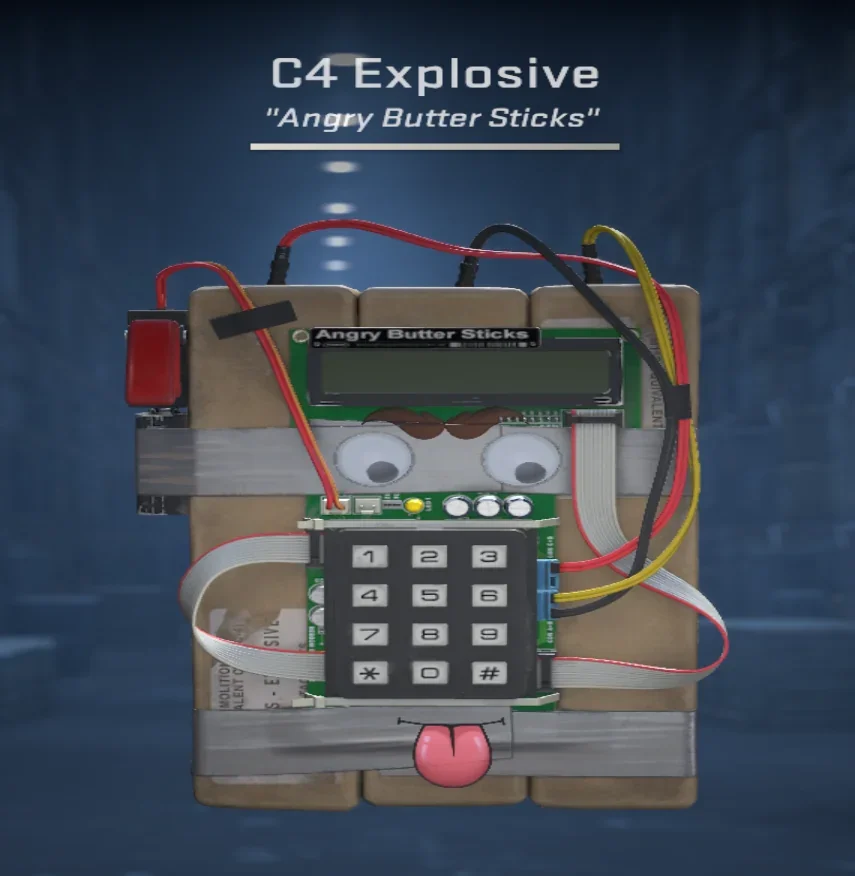
Place the eyes above the keypad, rotate Mustachio into eyebrows and put the tongue below.
Check the expression from an ordinary viewing angle before confirming placement. Decide on the eye spacing first, then use that as your reference for positioning the other features.
7. Broccoli Hair
Stickers: 4 × Blood Moon Tentaskull, 1 × XD
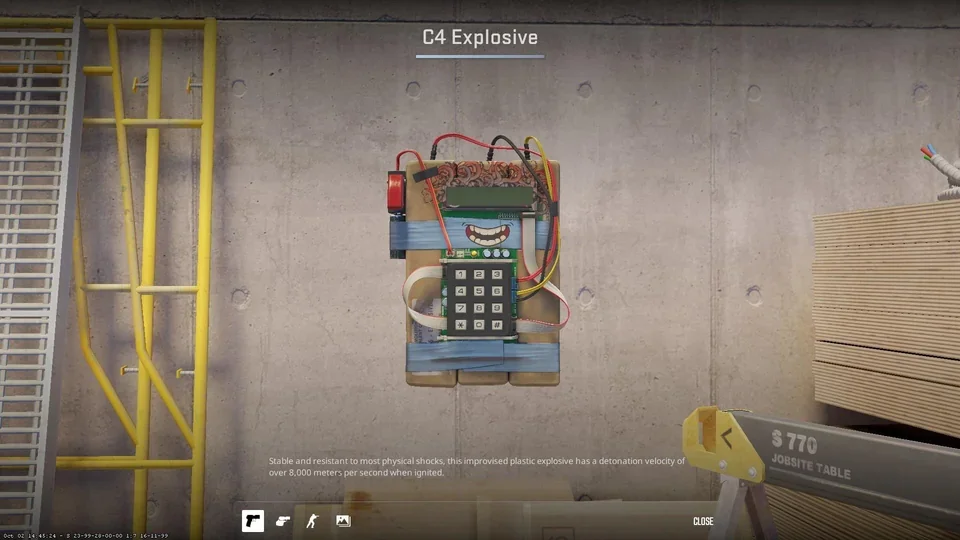
Scraped Tentaskull artwork forms the hair above the display, with XD beneath it as the mouth.
Keep the face compact. Use the screen’s centerline to position the mouth, then check the hairstyle’s width before finishing. The C4’s existing shapes do much of the work. cs.money
8. Adidas Logo
Stickers: 2 × WARNING, 3 × Good As New (Foil)
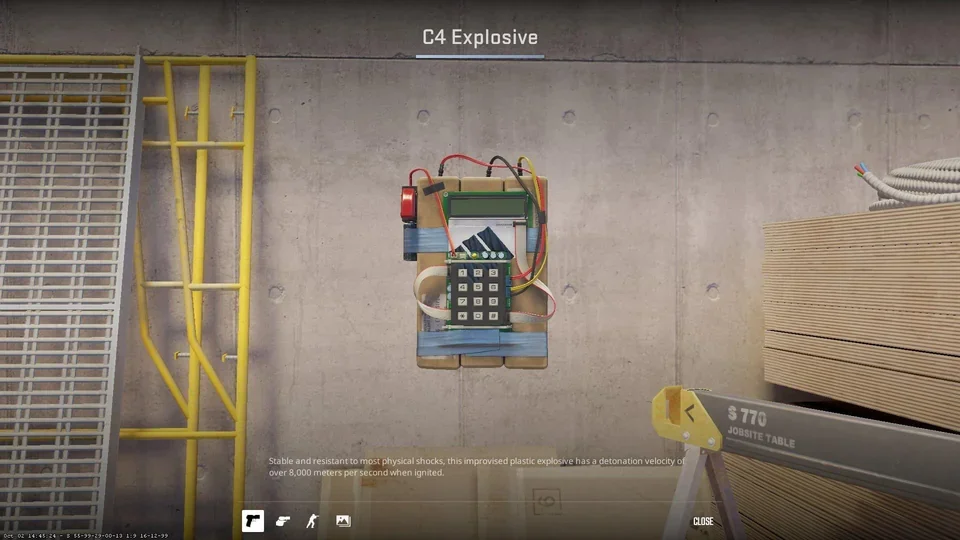
Build a scraped white backing, then arrange the remaining dark shapes into the three-stripe logo.
Treat spacing as the main challenge. Compare the gaps between stripes before completing the arrangement. A recognizable silhouette matters more here than covering a large area.
9. Flappy Bird
Stickers: 4 × Eyes In The Sky (Foil)
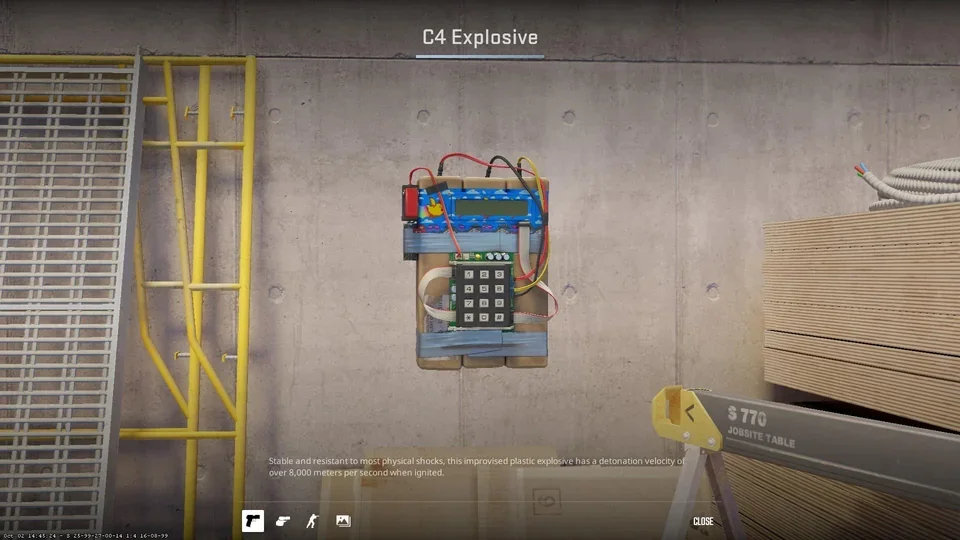
Line up the pixel-art sections around the display to create the retro game scene.
Use the display’s horizontal edge to keep the background level. Check that the bird remains easy to distinguish from the repeated scenery. Consider this one for a blue CS2 loadout. cs.money
10. Olofmeister Tribute
Stickers: 4 × High Heat, 1 × In The Fire (Foil)
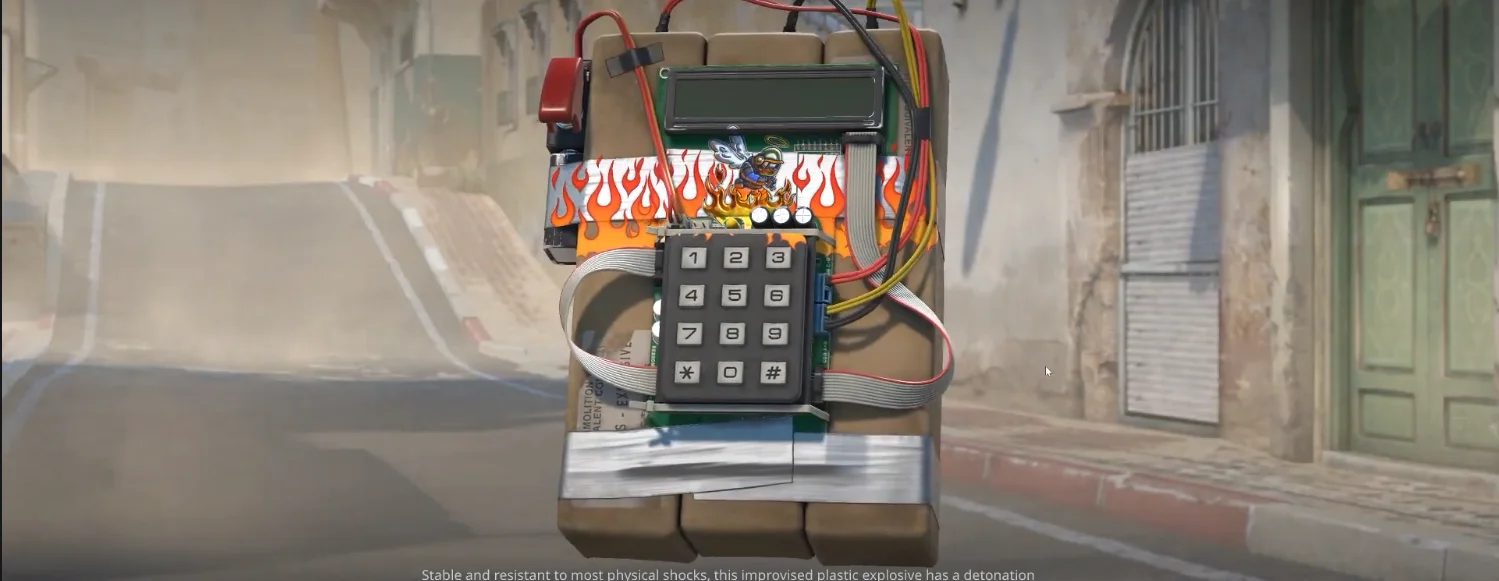
Arrange the fire around the defusing figure above the keypad. The design references olofmeister’s famous defuse through flames.
Position the figure as the focal point and leave enough space for its silhouette to remain clear. The finished craft should still make sense when viewed smaller. SIH.APP blog
How Much Do C4 Sticker Crafts Cost?
Add up the current price of every sticker in the recipe. A 5-sticker craft using copies priced at $1 each costs $5 before any extra fees.
Compare complete sets: one cheap listing does not mean four more copies are available at that price. Our guide to saving money on CS2 skins covers comparing offers.
Applied stickers cannot be recovered for resale. For ordinary weapon skins, our sticker value guide explains how application affects the value of the finished item.
Frequently Asked Questions
Can you put stickers on the C4 in CS2?
Yes. Valve added C4 sticker support in its September 2026 update. counter-strike.net
How many stickers fit on the C4?
Up to 5. You can leave slots empty; the wiring, face and Flappy Bird recipes above each use 4.
Can you undo a C4 sticker craft?
You can remove applied stickers, but they are destroyed rather than returned. Placement cannot be adjusted after application, and scraping cannot be reversed. Stickers
Which C4 craft should beginners try?
We would start with Extra Wiring. It uses one sticker type and allows more freedom in placement than a logo or a continuous keypad design.