
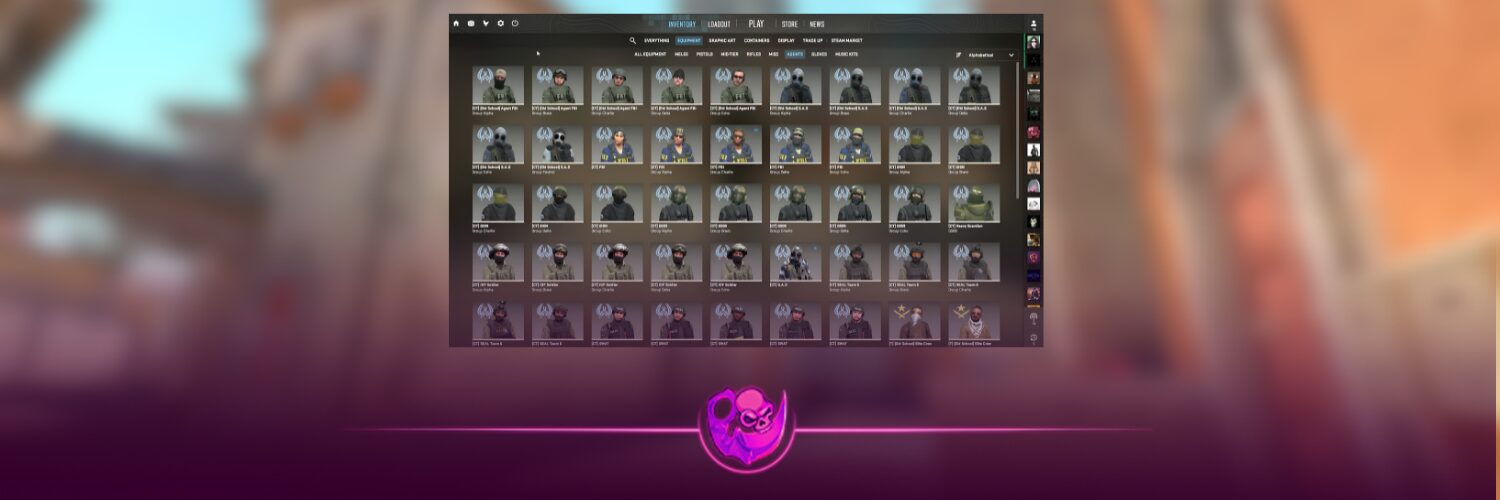
Character skins in CS2 are officially known as Agents. They replace the default appearance of your Terrorist or Counter-Terrorist character without changing your weapons, movement speed or core gameplay.
The easiest way to get character skins in CS2 is to purchase an Agent from the Steam Community Market. You can also trade with another player or receive one through a legitimate community giveaway. Agents were originally unlocked through older CS:GO Operations, but those reward tracks are no longer active.
That last point matters because several older guides still claim you can unlock Agents through regular matches, weekly rewards or weapon cases. That is not how the current CS2 system works.
How Can You Get Character Skins in CS2?
| Method | Can You Choose the Agent? | Main Consideration |
|---|---|---|
| Steam Community Market | Yes | Uses Steam Wallet funds |
| Trading with players | Yes | Requires careful offer verification |
| Community giveaways | Usually no | Never enter your Steam password on giveaway pages |
| Old Operation rewards | No longer available | Only applied while those Operations were active |
What Are Character Skins in CS2?
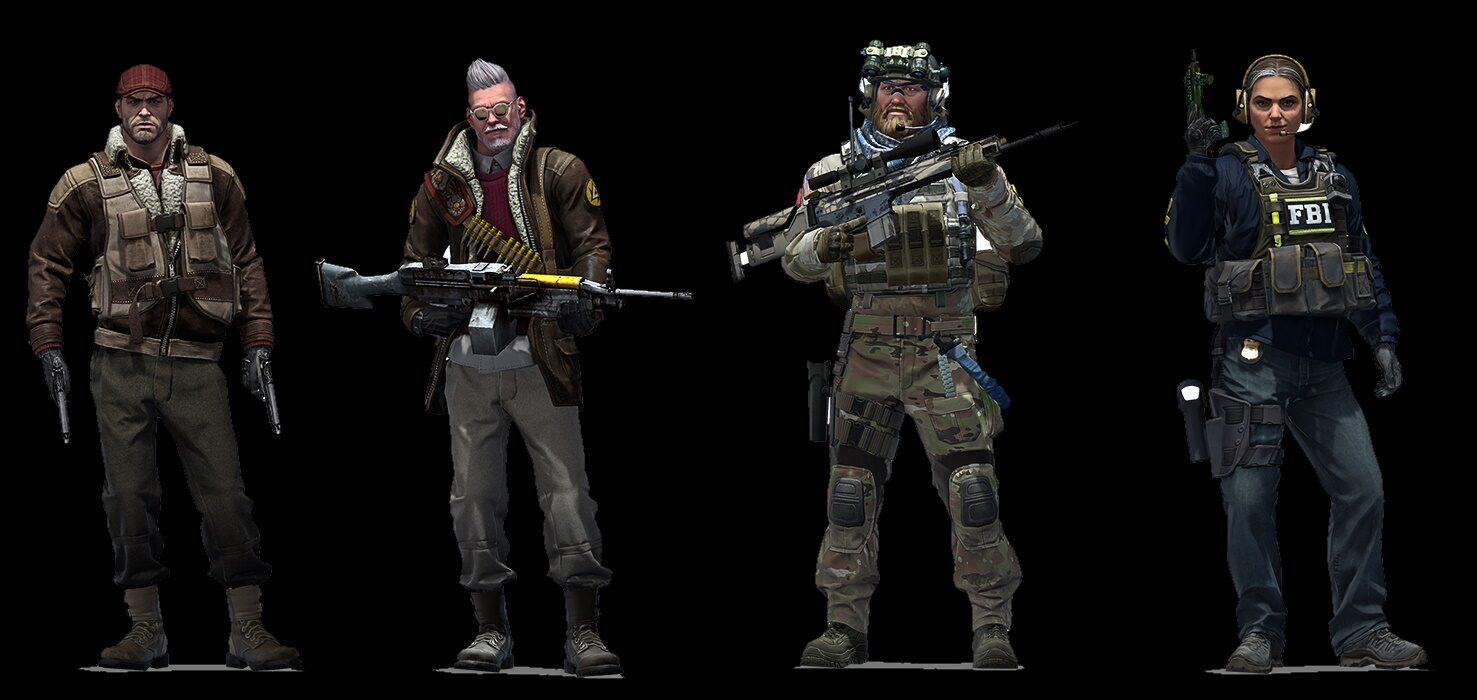
Character skins change the player model you use during matches. Depending on the Agent, this can include a different uniform, face, equipment, sleeves and voice.
Valve introduced equippable Agents during Operation Shattered Web in 2019. More characters were later released through Operation Broken Fang and Operation Riptide. Certain Master Agents also received unique voice lines and animations.
Agents are separated by team. A Counter-Terrorist Agent cannot be equipped on the Terrorist side, and a Terrorist Agent cannot replace your CT character.
You may see Agents listed in four general rarity levels:
- Distinguished
- Exceptional
- Superior
- Master
Rarity can influence demand, but it does not automatically make one Agent better than another. Appearance, faction, voice lines and overall popularity can matter just as much.
1. Buy an Agent on the Steam Community Market
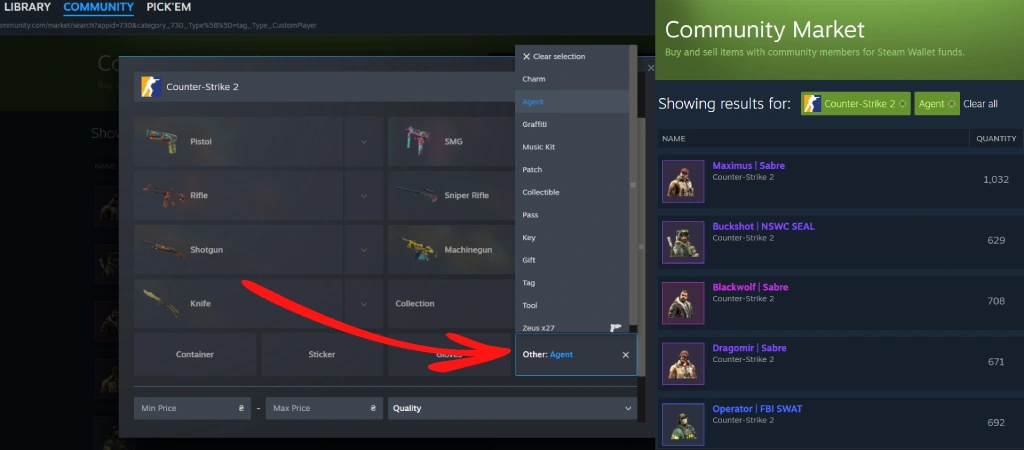
The Steam Community Market is the simplest method because you can browse current listings and purchase the exact Agent you want.
Here is how to find them:
- Open Steam and select Community.
- Go to Market.
- Choose Counter-Strike 2 under the game filters.
- Open the advanced filters.
- Select Agent as the item type.
- Compare the available listings.
- Add funds to your Steam Wallet and complete the purchase.
Steam currently has a dedicated Agent filter for Counter-Strike 2 items, with characters from factions such as Phoenix, FBI, SWAT, Elite Crew and The Professionals.
Unlike weapon finishes, Agents do not have Factory New, Minimal Wear or Battle-Scarred conditions. You are choosing the character itself rather than comparing float values and scratches.
That makes buying an Agent easier than shopping for many weapon skins. However, it is still smart to compare recent listings instead of automatically purchasing the first one you see.
Players building an entire inventory can also explore the DaddySkins CS2 skin collection, learn how CS2 skin trading works or read the complete CS2 float and wear guide before purchasing weapon finishes.
2. Trade for Character Skins With Another Player
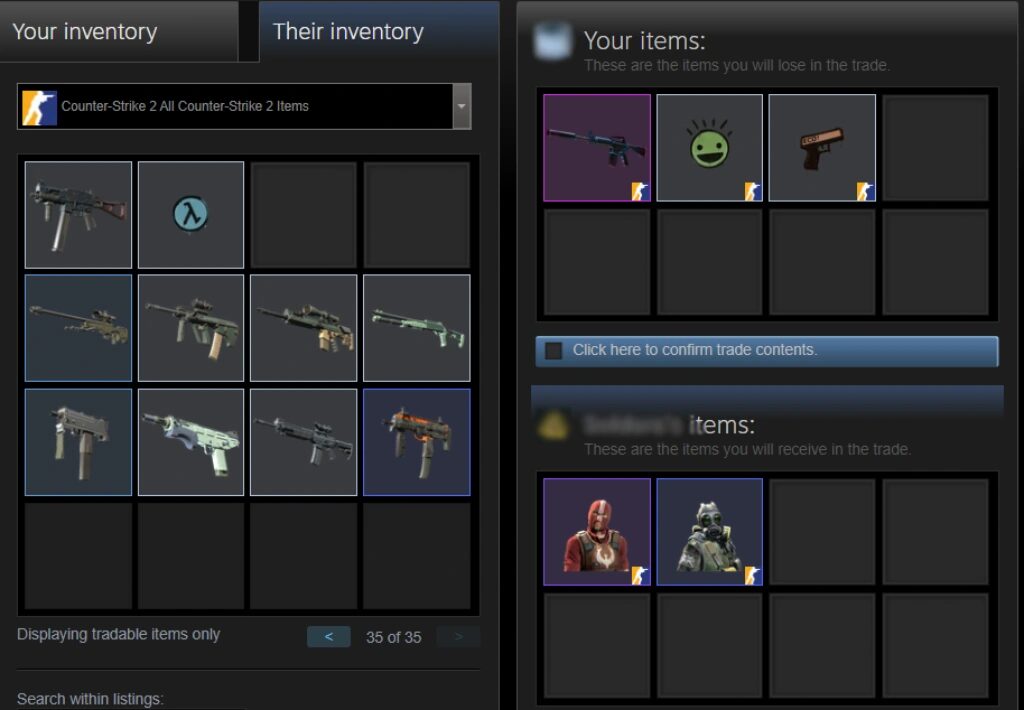
You do not necessarily need to add more money to your Steam Wallet. If you already own valuable weapon skins, cases, stickers or other tradable items, another player may accept them in exchange for an Agent.
Steam allows trade offers to be sent through a player’s profile or the Trade Offers page inside your inventory.
Before accepting a trade:
- Confirm the Agent’s full name and faction.
- Check every item included in the final offer.
- Make sure you are trading with the correct Steam account.
- Ignore anyone asking you to “verify” your items on another website.
- Never share your password, Steam Guard code or API key.
You should also understand Steam’s trading and Community Market restrictions. New accounts, recently changed passwords and accounts without the necessary purchase history can temporarily lose access to certain trading features.
DaddySkins has guides explaining how to find your Steam Trade URL, how to remove a Steam trade hold and how CS2 trade reversals work.
For more general advice, read our guide to the best CS2 trading sites and see how professional CS2 traders evaluate items.
3. Can You Unlock Agents by Playing CS2?
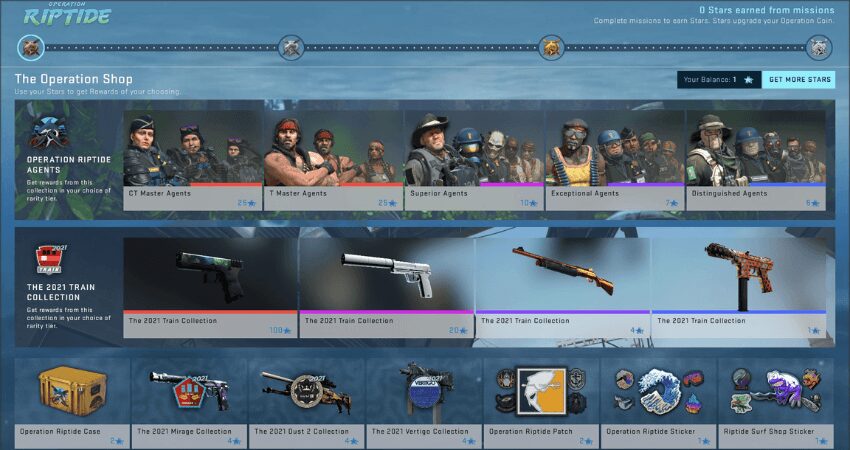
You cannot currently unlock an Agent simply by playing normal Competitive, Premier, Casual or Deathmatch games.
Agents were previously available as progression rewards during limited-time Operations. For example, Shattered Web introduced the first equippable Agents, while Broken Fang and Riptide offered additional Agent collections through their reward systems.
Those Operations have ended. As of July 17, 2026, Valve’s current CS2 updates do not include an active Operation reward track for earning new Agents. In practice, most existing characters now circulate through Steam Market listings and player trades.
A future Operation could introduce more character skins, but Valve has not confirmed when another Agent collection will be released.
Can Character Skins Drop From CS2 Cases?
No. Standard CS2 weapon cases do not contain Agent skins.
Cases normally contain weapon finishes and may include a rare special item such as a knife or gloves, depending on the case. Character models belong to separate Agent collections.
Weekly Care Packages are also focused on rewards such as weapon skins, cases and graffiti rather than Agent characters. You can read our free CS2 skins guide for a breakdown of the rewards that can currently be earned through gameplay.
For weapon cases specifically, see how to get cases in CS2 and our regularly updated ranking of the best CS2 cases to open in 2026.
4. Enter Legitimate Agent Giveaways
Streamers, esports communities and skin platforms occasionally run Agent giveaways. This can technically provide a character skin without requiring a direct purchase, but there is never a guaranteed reward.
Treat any giveaway that asks for your Steam login details as suspicious. Legitimate organizers may need your public Steam Trade URL to send an item, but they do not need your password or mobile authentication code.
Before entering:
- Confirm that the giveaway comes from the organizer’s real account.
- Check whether the linked website uses the correct domain.
- Do not download files or browser extensions.
- Never send an item first to “confirm ownership.”
- Review the trade carefully before accepting it.
Our CS2 security guide covers common phishing links, fake trades and account-security risks in more detail.
How to Equip a Character Skin in CS2
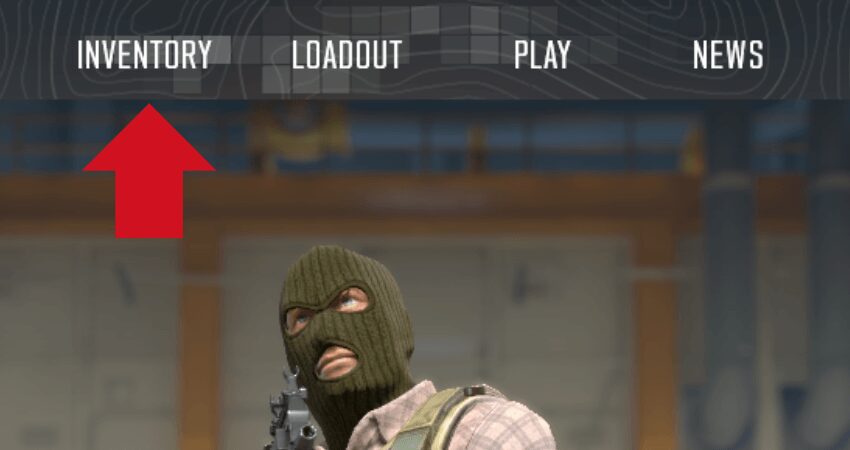
Once the Agent appears in your Steam inventory:
- Launch Counter-Strike 2.
- Open your inventory or loadout.
- Find the Agent you purchased or received.
- Select the character.
- Equip it for the correct T or CT side.
Your chosen Agent should then appear whenever you play on that team. You can switch back to the default model or equip another Agent at any time.
New players may also find our complete CS2 beginner’s guide useful when setting up their first loadout.
Are Expensive CS2 Agents Better?
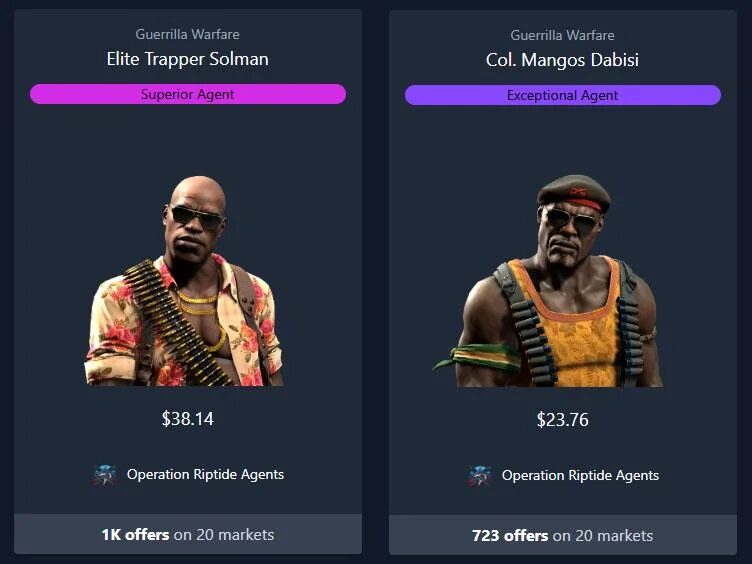
Expensive Agents do not provide stronger weapons, more health or faster movement. They are valuable because of factors such as rarity, appearance, faction, voice lines, collection age and market demand.
A cheaper Agent can still look great in-game. Decide what you actually care about before buying. Some players want distinctive sleeves for first-person gameplay, while others prefer a specific character, faction or voice.
Prices can also move as supply and demand change. Compare active listings and recent sales before purchasing, especially when looking at older Master Agents.
You can research other cosmetic items with the CS2 Stash and inventory guide or use the DaddySkins skin exchange and skin upgrade feature when improving the rest of your loadout.
Final Thoughts
The most reliable answer to how to get character skins in CS2 is to buy one from the Steam Community Market or trade for one through Steam. Older Agents originally came from Operation rewards, but they are not currently available through normal matches, weekly drops or weapon cases.
Take your time when comparing characters, check the correct T or CT faction and protect your Steam account before completing any trade. Once the Agent is in your inventory, equip it through your CS2 loadout and it will replace the default character model during matches.
For more skin and inventory content, visit the DaddySkins CS2 blog or explore DaddySkins.