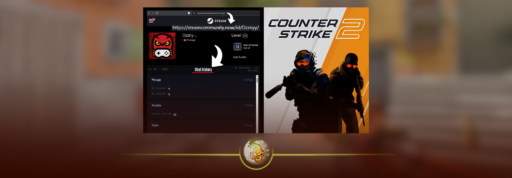
If you have typed something in a Counter Strike 2 match and assumed it disappeared when the game ended, that might not actually be the case.
CS2 players recently discovered that a third party statistics site called CStracker can display months of CS2 chat logs from tracked matches. That includes messages connected to individual matches, maps, rounds and timestamps.
The feature suddenly started spreading across the CS2 community in late August 2026, with players checking their own accounts, friends and even professional players.
The good news is that checking your CS2 chat history takes less than a minute.
How to Check CS2 Chat Logs
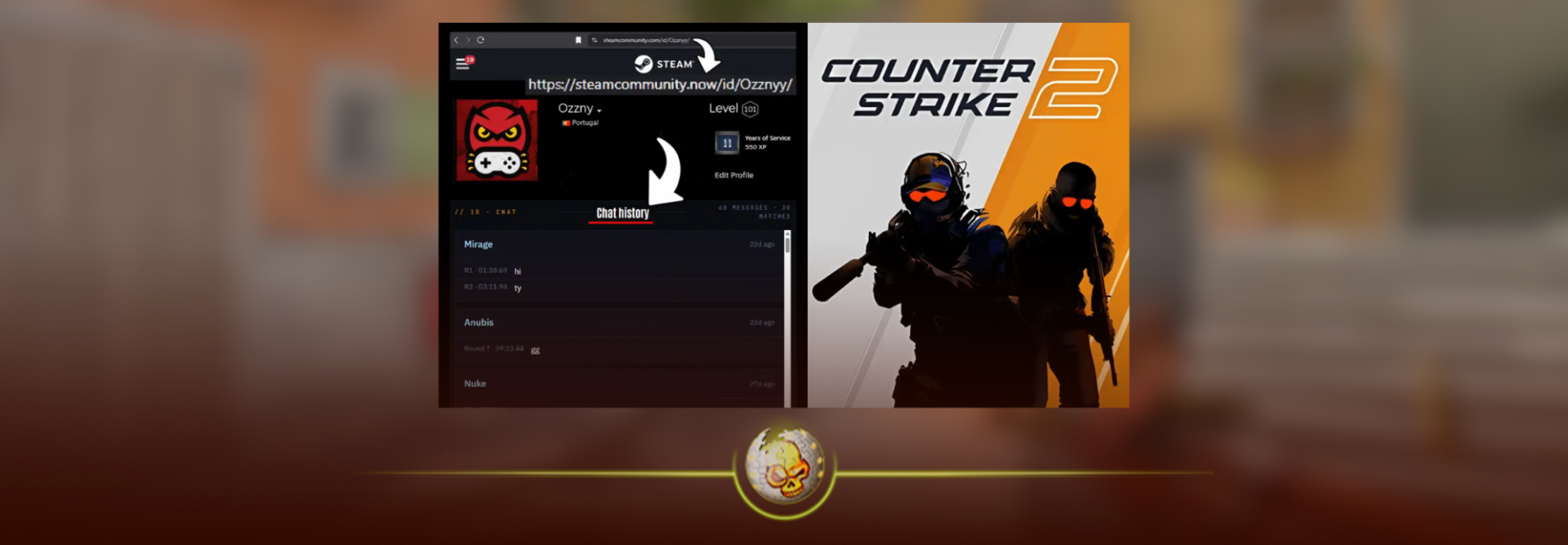
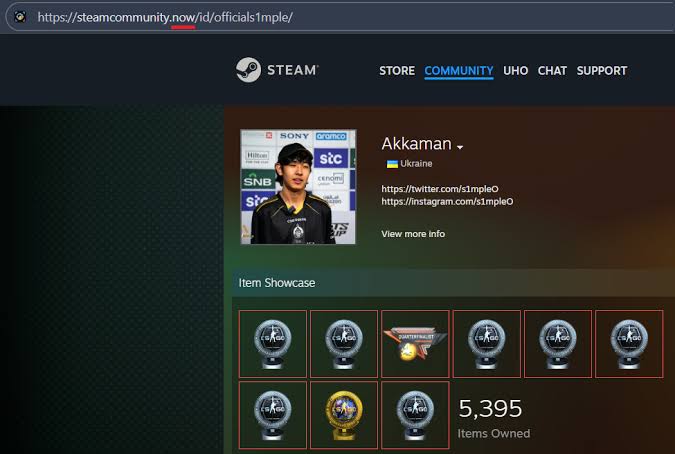
The fastest way to check a player’s CS2 chat logs is through their Steam profile.
- Open the player’s Steam profile
- Copy or open the full Steam profile URL
- Find steamcommunity.com in the address
- Change .com to .now
- Open the new address
- You should be redirected to the player’s CStracker profile
- Scroll down until you reach Chat History
For example, you are basically changing:
steamcommunity.com/id/username
into:
steamcommunity.now/id/username
CStracker itself currently shows this shortcut on player profiles. You can also go directly to CStracker and search using a Steam ID or Steam vanity URL.
You do not normally need to sign into Steam just to view a tracked player’s basic profile or chat history. CStracker says Steam ID and vanity URL searches are available without signing in, while some of its more advanced tools require an account.
What Is CStracker?
CStracker is a CS2 statistics site.
It tracks much more than chat. Profiles can include K/D, ADR, match history, maps, teammates, grenades, ranks and other match statistics.
If you already use stat trackers, the concept is similar to the tools covered in our guide on how to check CS2 stats.
What has everyone talking right now is the Chat History section.
Instead of only telling you how someone performed, CStracker can display messages that player typed during tracked CS2 matches.
Were CS2 Chat Logs Actually Leaked?
Not exactly.
You will probably see people searching for phrases like “CS2 chat logs leaked”, but there has not been evidence of some huge Valve database breach containing everyone’s private messages.
CStracker explains that it discovers CS2 matches, downloads available demos and parses those demos into match data. Demo files can contain match events and text messages, which the site then organizes into searchable player profiles.
So the surprising part is not necessarily that the information existed.
It is how easy the information has become to search.
Before this, almost nobody was downloading and digging through hundreds of CS2 demos just to find what someone said during a Premier match.
Now it can appear directly on a player profile.
What Does CS2 Chat History Show?
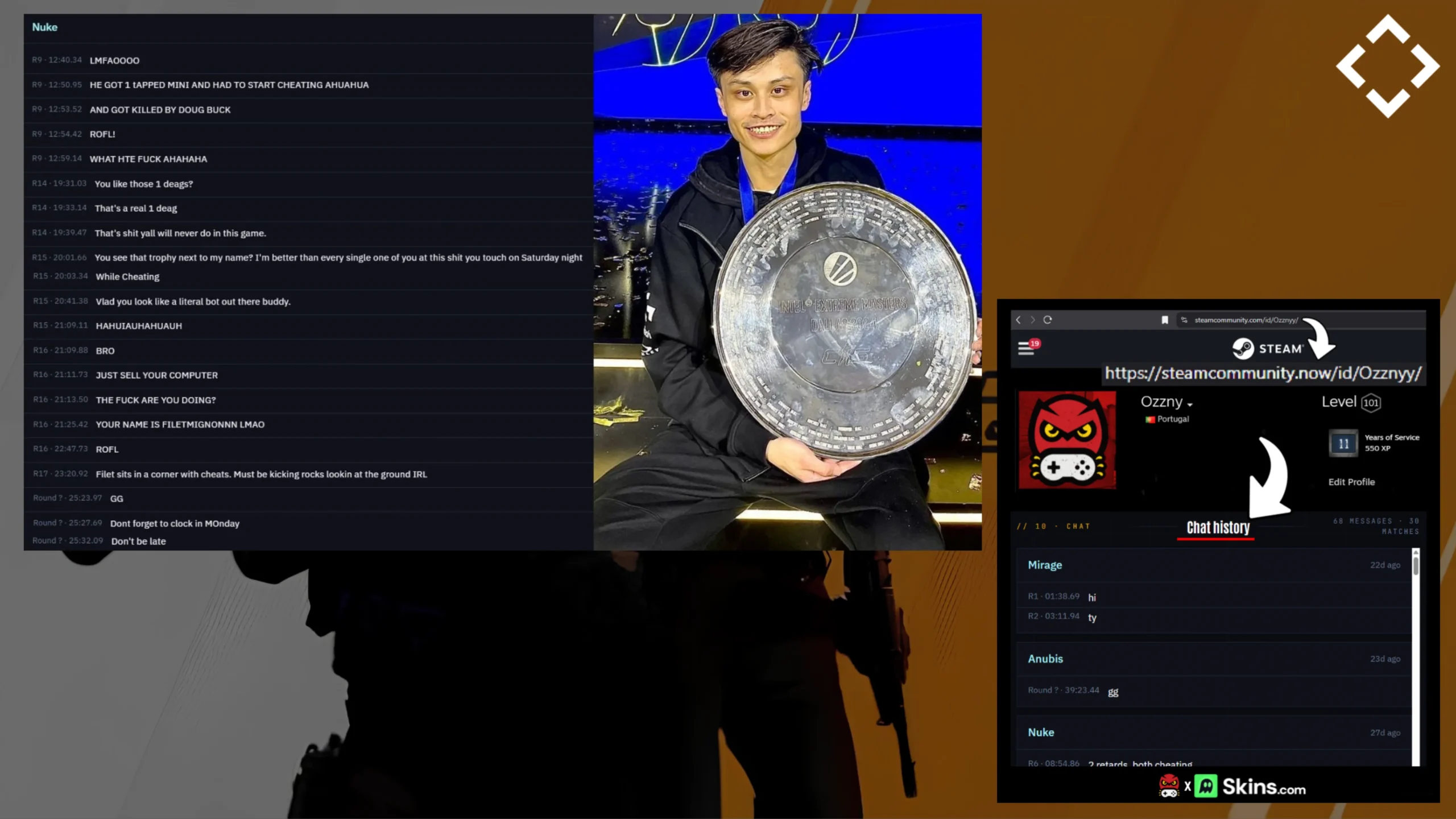
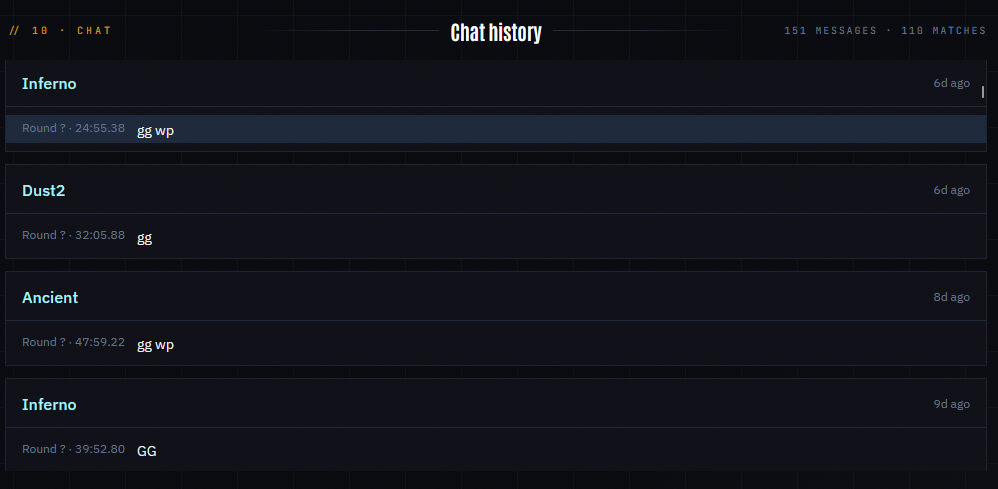
Open a tracked CStracker profile and scroll to Chat History.
You can see messages grouped by the match they came from.
Depending on the available match data, the page can show the map, date, round, time in the match and the message itself.
Some heavily tracked players currently have hundreds or even thousands of messages listed.
If you want to understand the context of a specific message, open the corresponding match. CStracker’s match timeline lets you narrow the events down so that you can follow the chat from that game more easily.
How Far Back Do CS2 Chat Logs Go?
There is no single guaranteed time period for every account.
Some players currently have several months of chat history available, which is why you may see people claiming CStracker stores around five or six months of messages.
But that does not mean every player’s last six months will automatically be there.
CStracker says a match only appears if its demo was discovered, downloaded and successfully processed. Older matches can also be missing because Valve does not keep downloadable demos forever.
This means one player might have a huge chat history while another account barely has anything.
If you search yourself and see no tracked stats, it does not necessarily mean you have never typed in chat. It can simply mean CStracker does not have the relevant demos.
Can You See Team Chat in CS2 Chat Logs?
This is an important limitation.
The chat history currently being shared around the community appears to primarily contain messages that were available through the demo, particularly all chat.
Players testing the tool have reported that their team only messages are missing, which lines up with older CS2 demo discussions where players were unable to retrieve team chat from normal demos.
So do not assume that CStracker contains literally everything you have ever typed in CS2.
It also should not be confused with Steam direct messages. This article is about text sent during Counter Strike matches, not private Steam conversations between friends.
Can You Check Someone Else’s CS2 Chat Logs?
Yes, if CStracker has tracked that player.
You can use the same method with another player’s Steam profile and see whether a Chat History section exists.
That is one reason this story exploded so quickly. Players immediately started checking streamers, professional players and people they regularly play against.
However, if the matches were never discovered or processed, there will be little or no history available.
Are CS2 Chat Logs Public?
The messages shown by CStracker can currently be viewed through public player pages when that data has been tracked.
This has caused an understandable privacy debate in the CS2 community because most players probably never expected something they typed during a random Premier game months ago to eventually appear in a searchable profile.
CStracker also makes clear that it is an independent statistics site. It is not an official Valve or Steam feature.
How to Remove Your CStracker CS2 Chat History
If you find your profile and do not want the information displayed, CStracker says users can submit privacy and deletion requests.
According to its FAQ, requests involving removal, correction, restriction, objection or deletion can be sent to:
Include your Steam ID or Steam profile URL so the site can identify the correct profile.
Why Is Everyone Searching CS2 Chat Logs Right Now?
The feature itself did not suddenly appear because Valve released a new chat history menu.
What changed is that the CS2 community discovered just how easily CStracker makes the information accessible.
A Reddit discussion about public CS2 chat history gained major attention on August 27, 2026. From there, players began posting their own histories, checking well known players and sharing the Steam .com to .now trick across social media.
That is why searches for CS2 chat logs, CS2 chat history and how to check CS2 chat logs are suddenly appearing everywhere.
Can You Check Your CS2 Chat History Inside CS2?
CS2 does not currently give you a simple menu containing months of everything you previously typed.
You can download and watch recent matches through CS2’s demo system, which we explain in our CS2 Demo Controls guide, but CStracker is much faster if your goal is simply finding previously tracked chat messages.
If you’re digging deeper into matches or other Counter Strike information, CSGO.info is also a useful resource for CS2 guides and game related content.
Players who use demos regularly should also know how to open the console in CS2, since the developer console gives you much more control while reviewing matches.