
If you want your aim to feel the same in CS2 and Valorant, the cleanest method is matching cm per 360. That keeps your full turn distance identical between games, which is what most players mean by matching sensitivity “exactly”.
The exact CS2 to Valorant sensitivity formula
Valorant uses a fixed yaw value of 0.07 and CS2 uses 0.022 by default, so the conversion is: Recharge
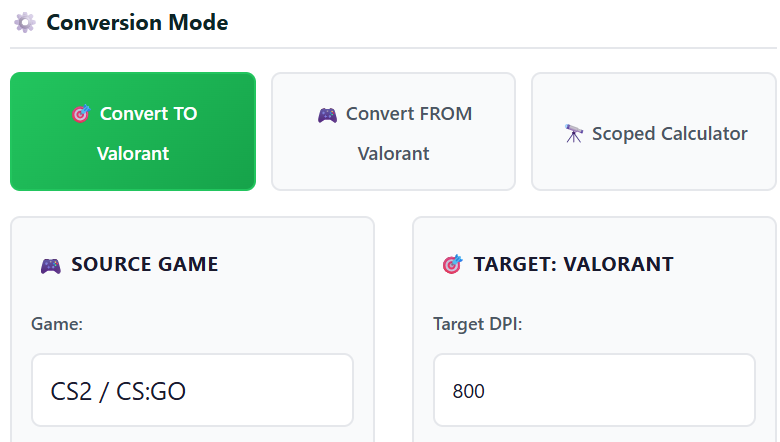
CS2 to Valorant
Valorant Sensitivity = CS2 Sensitivity × (0.022 ÷ 0.07)
Valorant Sensitivity = CS2 Sensitivity ÷ 3.181818
Quick example
CS2 sens 1.50
Valorant sens = 1.50 ÷ 3.181818 = 0.471
This matches common reference conversions you will see posted online.
Important note
This assumes you have not changed CS2 m_yaw from the default 0.022.
Why cm per 360 is the best “exact match”
Two players can have the same eDPI but different actual turn distance depending on how the game scales rotation. Matching cm per 360 removes that confusion and keeps your physical mouse travel identical across games.
Here is the universal cm per 360 formula (works for both games)
cm per 360 = (2.54 × 360) ÷ (DPI × Sensitivity × Yaw)
CS2 yaw default is 0.022
Valorant yaw is fixed at 0.07
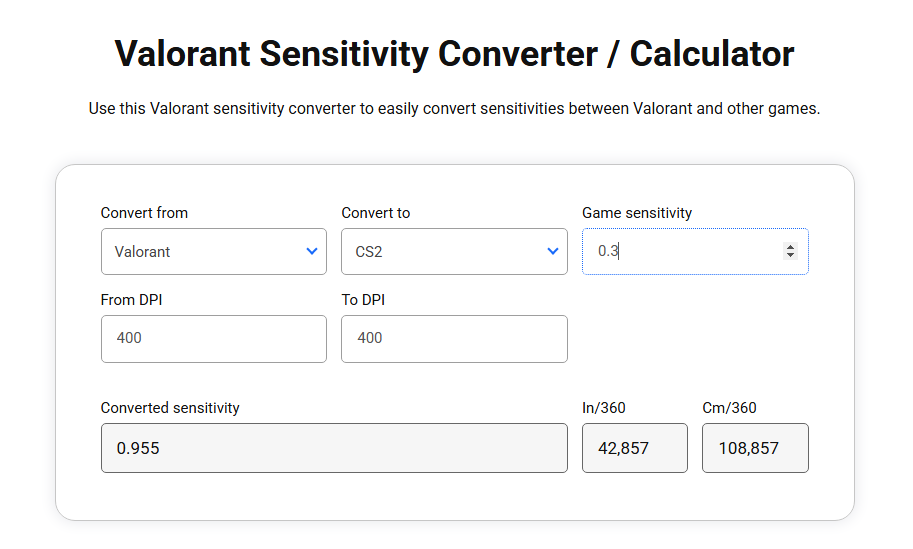
Step by step Match your CS2 sens to Valorant perfectly
Step 1 Write down your CS2 settings
1 Your mouse DPI
2 Your CS2 sensitivity
3 Confirm you are using default m_yaw 0.022 unless you intentionally changed it
Step 2 Convert to Valorant using the exact formula
Use this:
Valorant Sens = CS2 Sens ÷ 3.181818
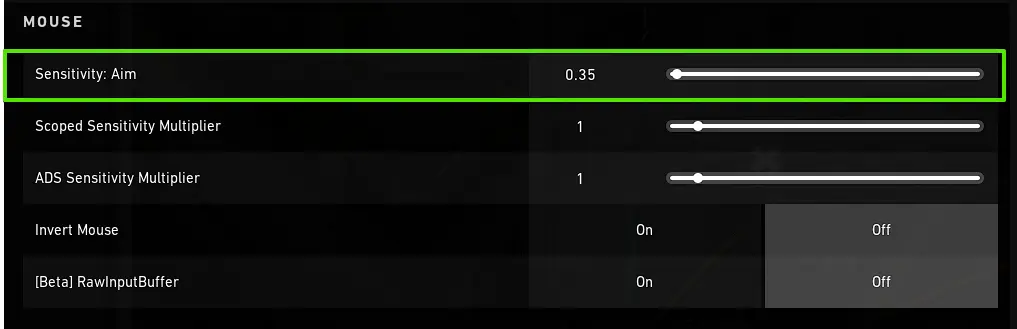
Step 3 Set it inside Valorant
In Valorant go to
Settings Mouse Sensitivity Aim
Paste the number you calculated
Step 4 Validate with a real world check
Pick a clean reference distance on your mousepad and confirm your 360 distance matches between games. If your pad space is limited, test a 180 instead and double it.
| CS2 Sens | Valorant Sens |
|---|---|
| 0.80 | 0.251 |
| 1.00 | 0.314 |
| 1.20 | 0.377 |
| 1.50 | 0.471 |
| 1.80 | 0.566 |
| 2.00 | 0.629 |
| 2.50 | 0.786 |
| 3.00 | 0.943 |
These values follow the yaw based conversion method.
What about “monitor match” conversions
Some converters try to match how far your crosshair moves across your screen rather than matching a full rotation. This can feel different depending on FOV, aspect ratio, and what percentage of the screen is matched.
A popular community approach recommends dividing by about 3.37 for a specific monitor matching method, which is intentionally different than the pure cm per 360 match.
If your goal is “match exactly” and keep muscle memory consistent for turns and swipes, stick with cm per 360.
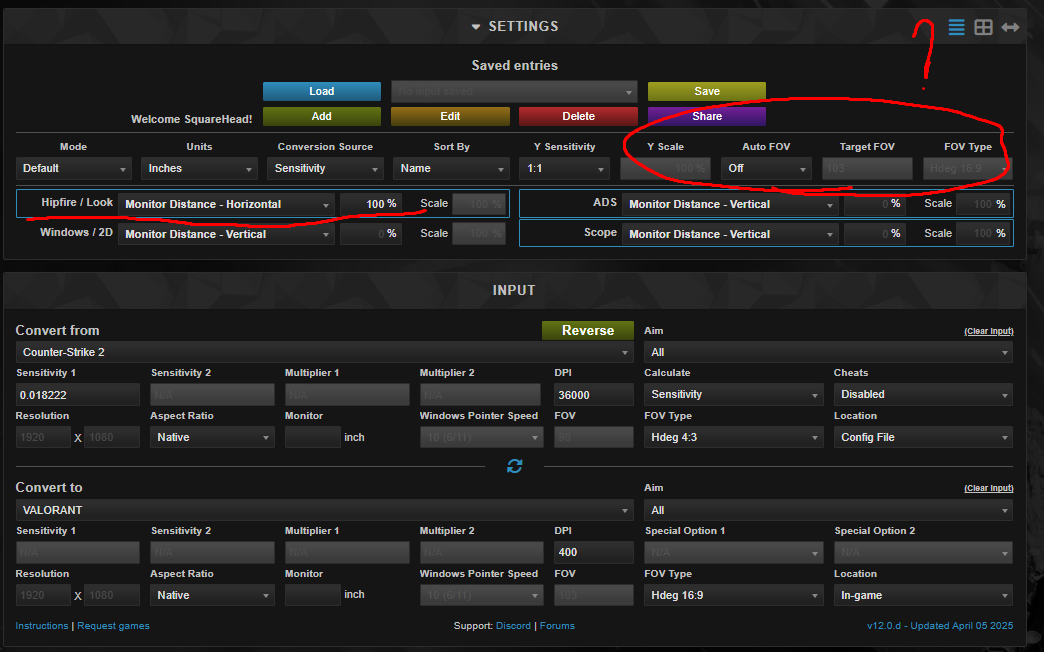
ADS and scoped sensitivity Do not accidentally ruin your match
Hipfire is the foundation. Once hipfire is matched, then handle zoom separately.
CS2 uses a zoom sensitivity ratio setting
Valorant has a scoped sensitivity multiplier
These will never be a perfect one number match across every zoom level because the games handle zoom and FOV differently. The practical approach is:
1 Match hipfire first using the formula above
2 Pick one common use case to match next
Operator and AWP style flicks, or rifle micro adjustments
3 Adjust Valorant scoped multiplier by feel in small steps until it matches your comfort
Common mistakes that make your conversion feel wrong
1 Raw input mismatch
Make sure both games are using raw input style mouse handling
2 Changing DPI between games
Keep the same DPI for the conversion to stay meaningful
3 Different Windows pointer settings
Keep Windows speed consistent so your muscle memory is not fighting your desktop habits
4 Expecting identical feel on every weapon
CS2 spray control and Valorant recoil patterns are fundamentally different, even with identical cm per 360
Read More From Daddyskins
- CS2 Mic Not Working – How to Fix in 2 Minutes
- How to Reverse Trade CS2
- How to Trade Up to a Knife in CS2: Complete Step-by-Step Trade-Up Guide (2025 Update)
- CS2 Trade Reversal Guide: How to Undo a Steam Trade?
- CS2 Cheapest Mil Spec Skins To Start A Trade Up Path To Covert
- CS2 Trade up Calculator (How Do They Work)
- CS2 Trade Up Odds From Covert To Knives, Explained
- Who is Donk CS2?
- Cheapest Coverts CS2 to Upgrade (UPDATED, November)
- Are CS2 Skins Still a Good Investment in 2025
- Is CS2 Down How To Check Server Status Instantly
- Knife and Glove Trade Ups in CS2 How to Turn 5 Covert Skins into a Specific Item
- CS2 Skin Float and Wear Explained Full Guide to Float Values, Wear Ratings, and Prices
- CS2 Skin Trading for Beginners
- How to Show FPS in CS2?
- Best CS2 Plays of 2025
- Best CS2 Settings Guide 2026
- Where To Watch The Grand Final Of The StarLadder Budapest Major CS2
- How to Unlock Premier Mode in CS2
- Cheapest CS2 Gloves 2025 [UPDATED]
- Prediction for MOUZ vs FaZe — StarLadder Budapest Major 2025 Playoffs
- CS2 Trade up Contracts Full Guide
- CS2 Major Budapest Results Vitality Win StarLadder Major Back to Back
- How to test skins in CS2 before buying them
- How to Get the 2025 Service Medal in CS2
- What Is Follow Recoil in CS2 Guide for Better Spray Control
- Abertura de Caixas CS2: Guia Completo
- DaddySkins Interview
- CS2 Removes All Rare Case Drops From the Active Drop Pool
- Cheapest Red Skins CS2 (UPDATED)
- Top 5 Rarest CS2 Cases Right Now
- CS2 Removing Cases by 2026
- ropz CS2 Settings, Crosshair, Config & Gear (2025)