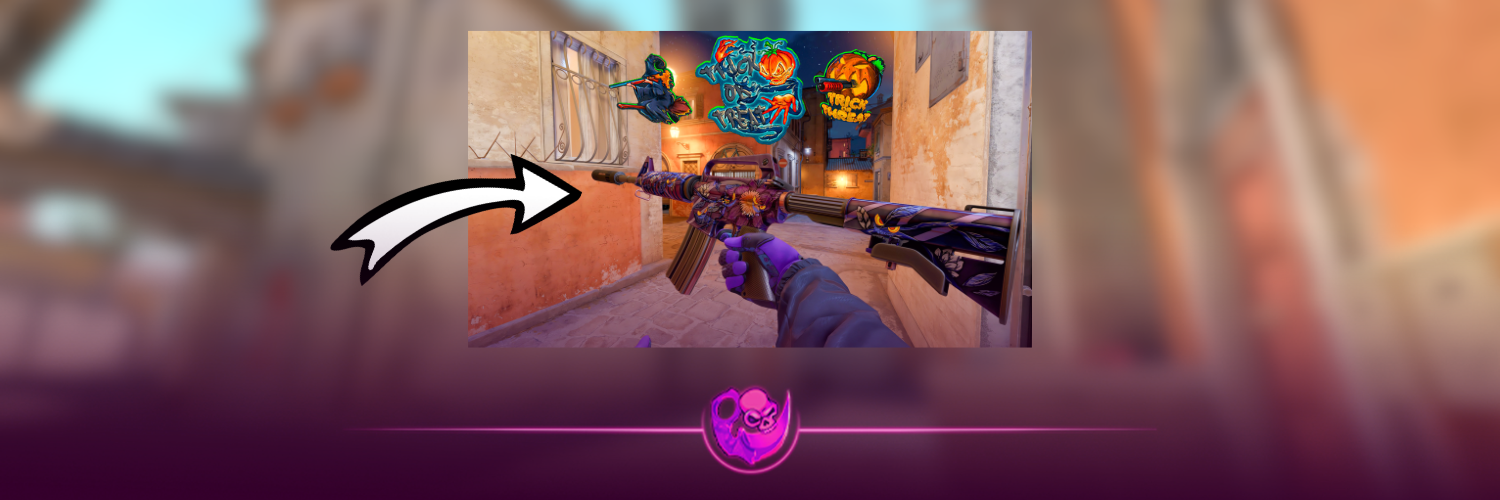
Halloween CS2 sticker crafts can turn a familiar weapon into something a little stranger. Ghosts, witches and monsters all work, but the combination matters more than simply choosing a scary sticker.
These five existing crafts were featured in Alti Gaming’s Halloween showcase. Each entry below includes the weapon, sticker quantities and a video reference so you can see the arrangement before building it.
If you’re still choosing a base weapon, start with our best Halloween skins in CS2 guide.
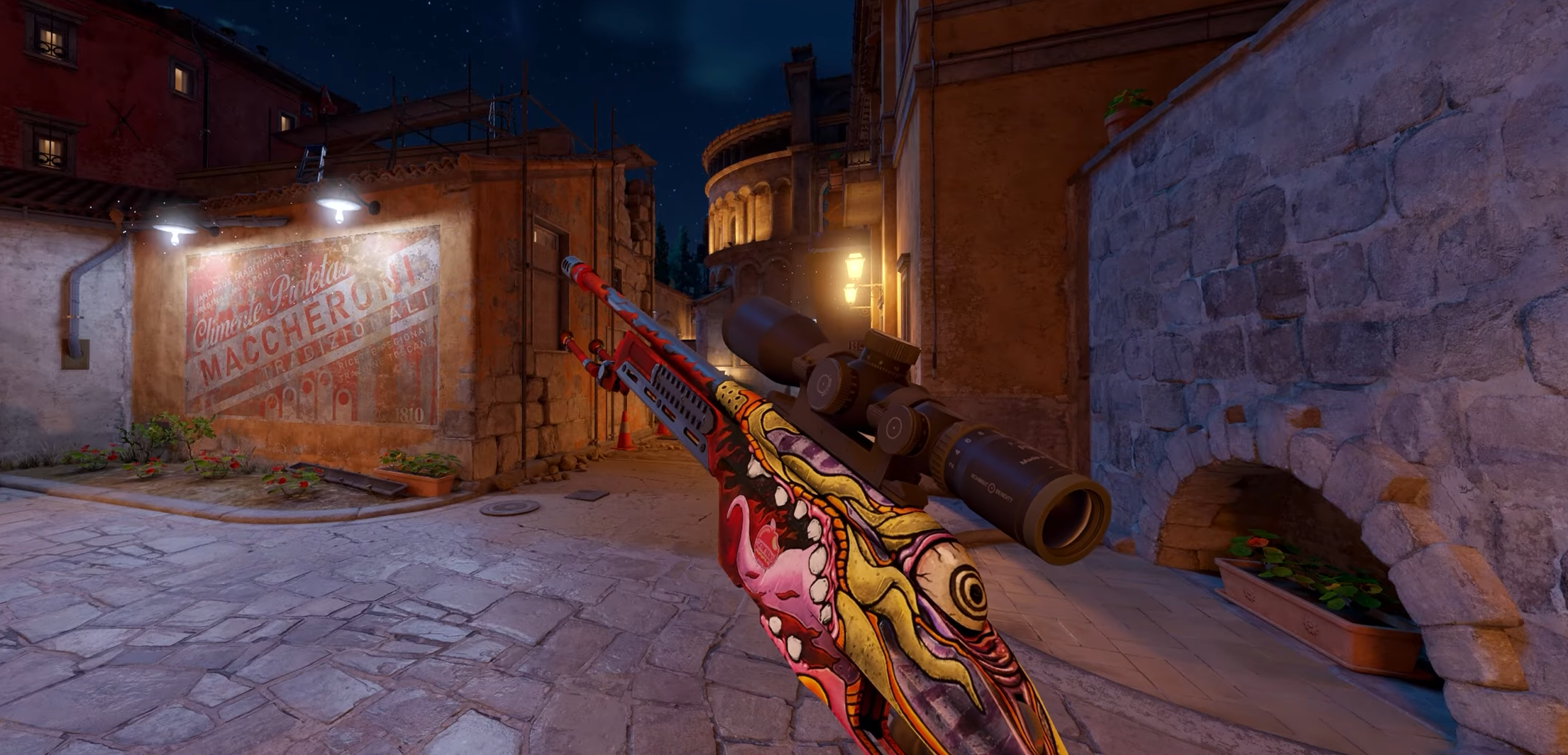
1. SSG 08 Bloodshot with Candy Apples
You need:
- SSG 08 | Bloodshot
- 1 × Sticker | Candy Apples
This is the simplest combination in the selection, using one sticker.
How to make it: Open the reference at 0:07. Select Candy Apples in your inventory, choose Apply Sticker and select Bloodshot. Match the visible placement in the application preview before confirming.
With only one sticker involved, this is a sensible place to start if you haven’t made a custom craft before.
2. AK-47 Point Disarray with Spectators
You need:
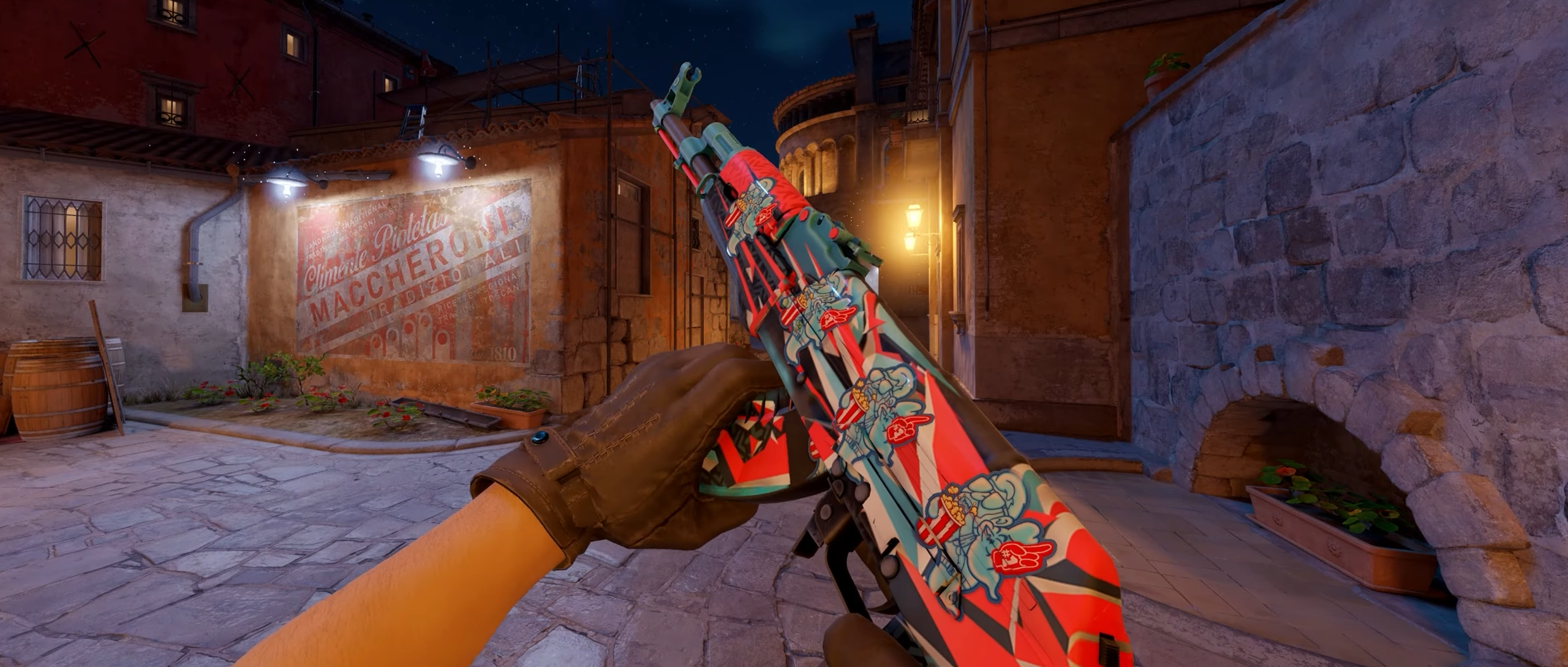
- AK-47 | Point Disarray
- 4 × Sticker | Spectators
This combination adds four Spectators stickers to Point Disarray.
How to make it: Use the reference at 0:36. Apply the stickers individually, checking their spacing and orientation against the video.
Before applying the first copy, identify where all four will go. That helps avoid placing one where you later need room for another. Point Disarray has a busy finish, so check that each sticker remains visible against the artwork.
Our CS2 sticker craft guide covers other ways players combine stickers with existing finishes.
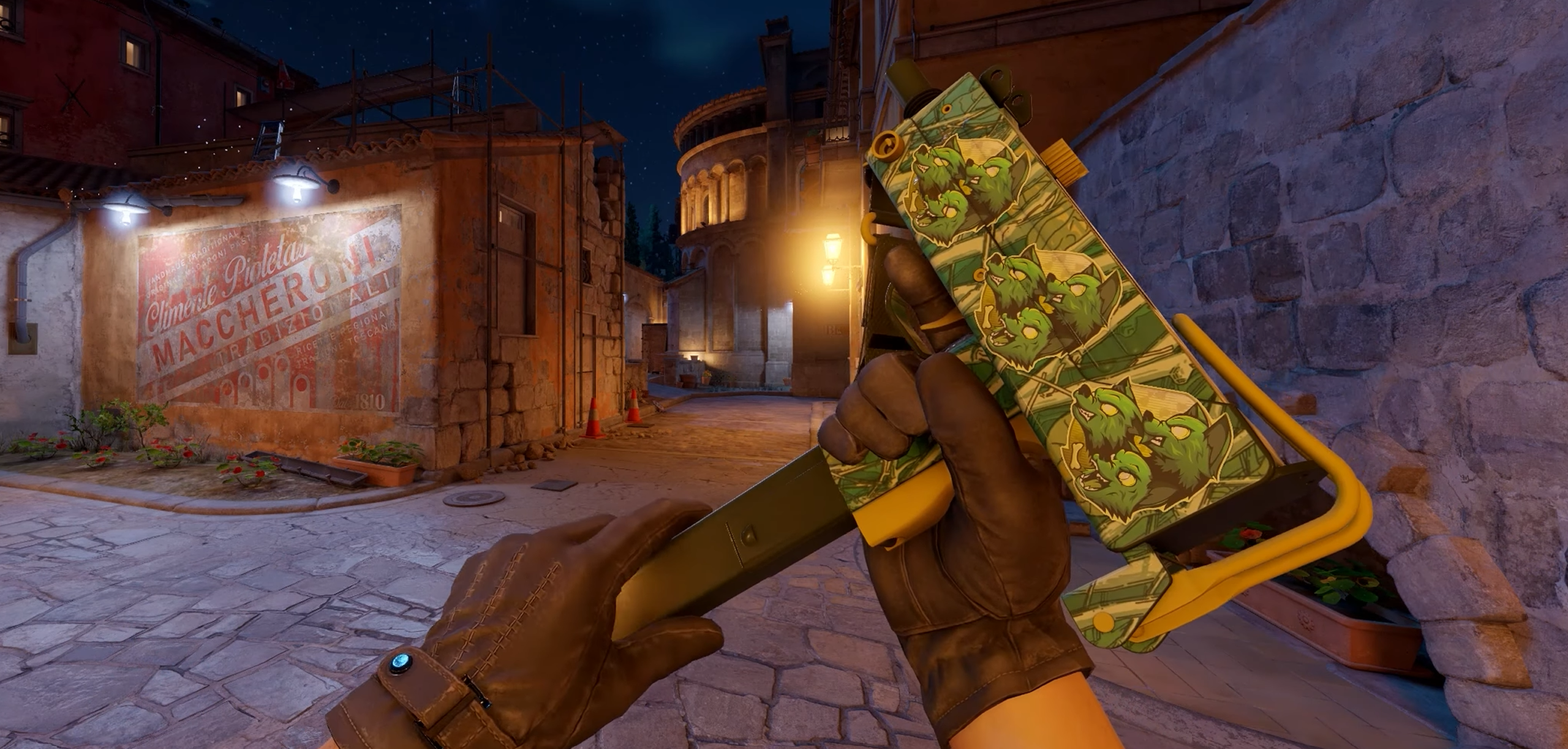
3. MAC-10 Poplar Thicket with Baby Cerberus
You need:
- MAC-10 | Poplar Thicket
- 3 × Sticker | Baby Cerberus
The showcase pairs Poplar Thicket with three Baby Cerberus stickers.
How to make it: Pause the reference at 0:50. Use it to match the three positions, applying one copy at a time.
Check the arrangement in the normal holding view as well as during inspection. A close-up can make a design look more prominent than it appears while playing.
If this is one part of a larger seasonal inventory, our budget CS2 loadouts guide can help you plan the other weapons.
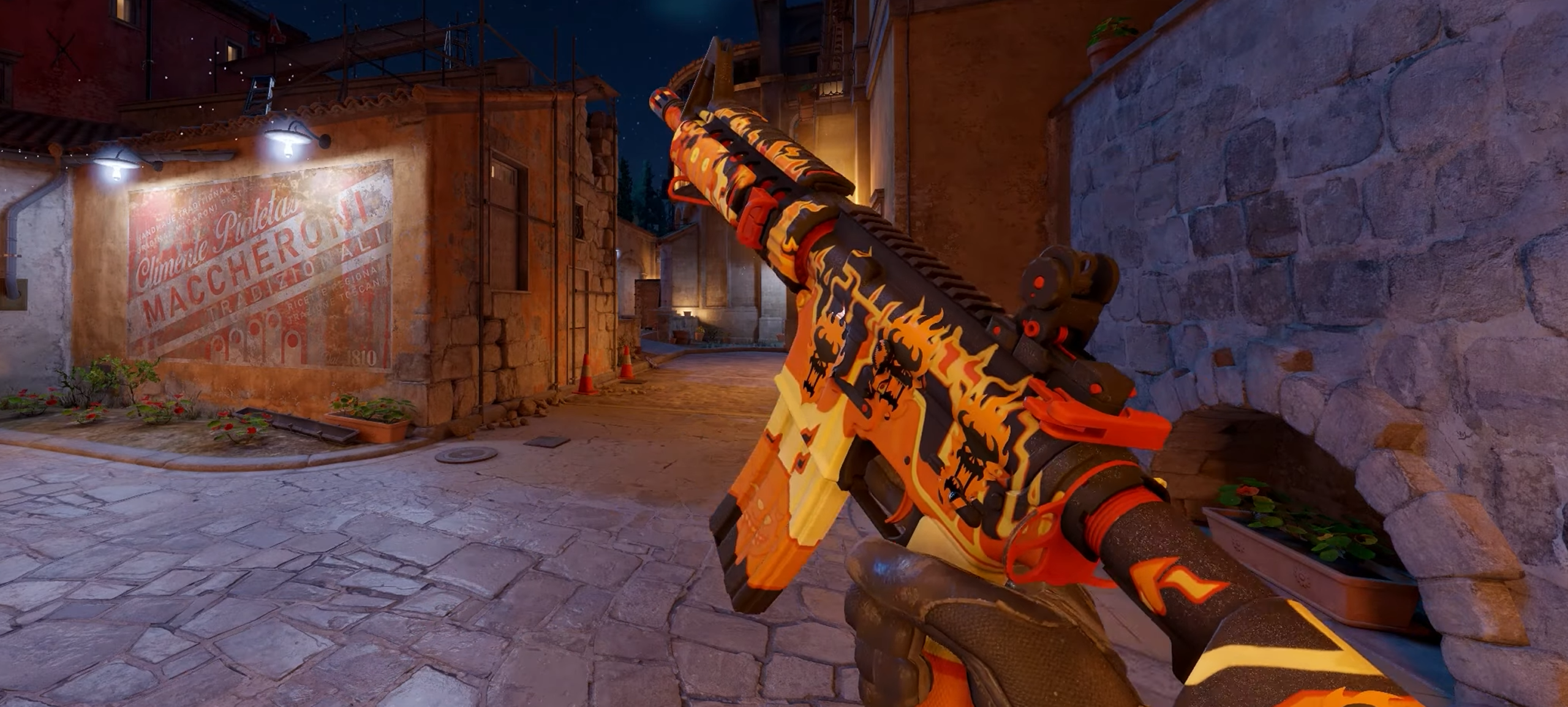
4. M4A4 Hellish with Word Bearers 1
You need:
- M4A4 | Hellish
- 4 × Sticker | Word Bearers 1
This combination uses four copies of Word Bearers 1 on Hellish.
How to make it: Follow the reference at 1:05. Check the sticker name carefully when buying, then reproduce the arrangement through the application preview.
Compare the spacing before confirming each application. Small differences become easier to notice when a design uses several copies of the same sticker.
You don’t need to choose Factory New automatically. Compare the actual items and use our float and wear guide to understand their condition.
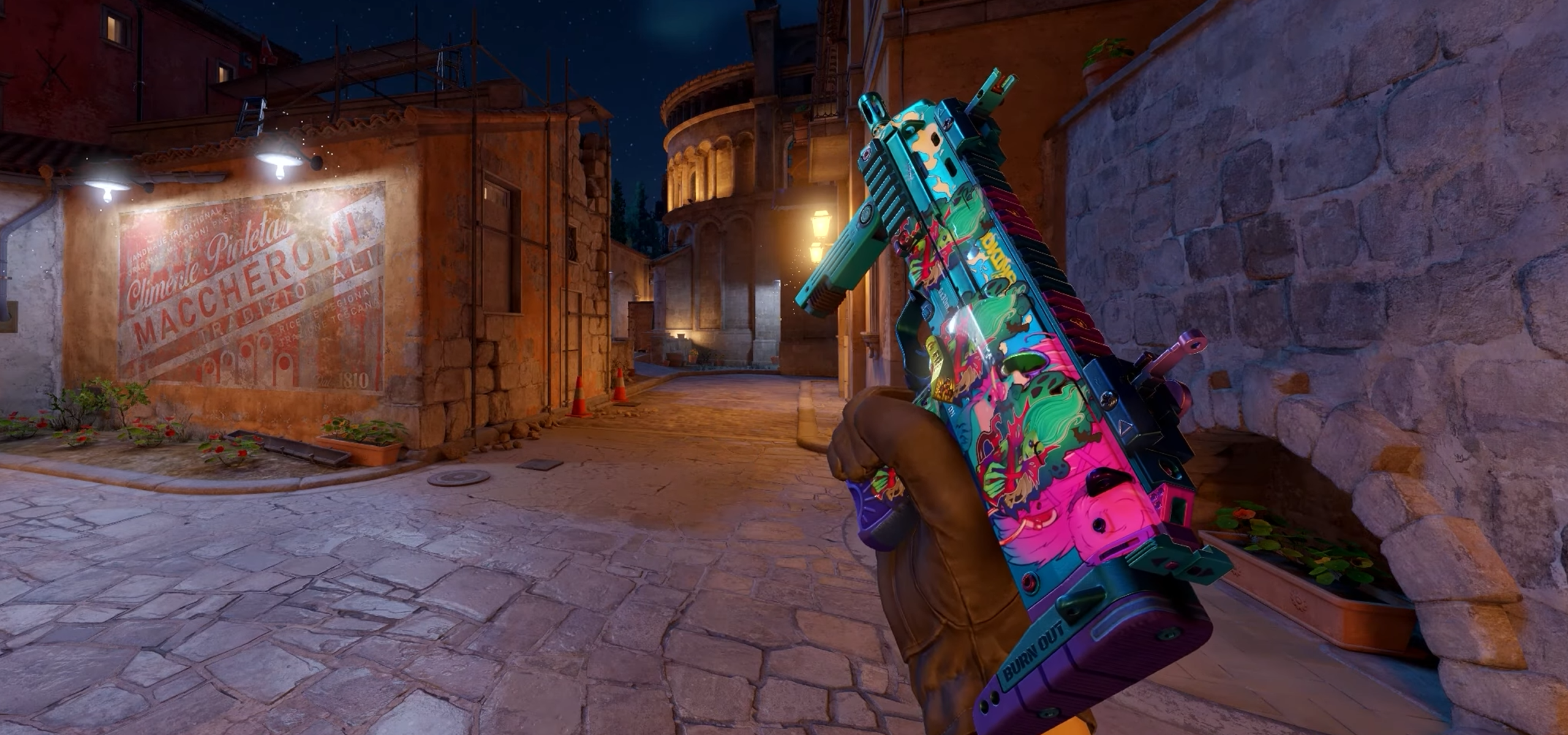
5. MP7 Smoking Kills with Witchcraft
You need:
- MP7 | Smoking Kills
- 4 × Sticker | Witchcraft
Four Witchcraft stickers give this combination its Halloween connection.
How to make it: Open the reference at 1:48. Match each sticker’s position and rotation before applying the next.
The MP7 has a smaller body than the rifles here, making spacing worth checking closely. Don’t assume the arrangement transfers directly from another weapon.
What to Check Before Applying Your Stickers
Use the exact sticker versions. A similarly named item or different finish may produce a different result.
Check the complete cost. Include the weapon and every sticker copy. The showcase was published in 2025, so its recorded prices should not be treated as current quotes.
Don’t scrape without a reason. These instructions do not require scraping. If you experiment, remember that scraping progressively wears the sticker and can eventually remove it.
Inspect before paying extra. When buying an existing craft, check the individual item’s placement, sticker wear and weapon condition. Our guide to whether stickers add value in CS2 explains why crafting cost and resale value can differ.
Frequently Asked Questions
Can you move a sticker after applying it?
Set its position and rotation before confirming. Ordinary applied stickers cannot simply be picked up and repositioned, so take your time with the preview.
Do you need to fill every sticker slot?
No. Bloodshot uses one sticker, while the other combinations use three or four. Leave unused slots empty if you want to reproduce the reference.
Are these new Halloween 2026 releases?
No. These are existing combinations you can use for a Halloween 2026 loadout, rather than a newly released seasonal collection.