Guide to the Follow Recoil Crosshair Setting
Follow Recoil in CS2 is one of the most misunderstood settings in Counter Strike 2. New players see it as a shortcut to better aim, while experienced players often avoid it entirely. The truth sits somewhere in the middle.
In this Daddy’s Guide, we break down Follow Recoil in a clean, structured, and professional way. You will learn exactly what Follow Recoil is, how it works, when to use it, when to avoid it, and whether it actually helps you improve in competitive CS2.
This guide is written for real players who want real improvement.
What Is Follow Recoil in CS2
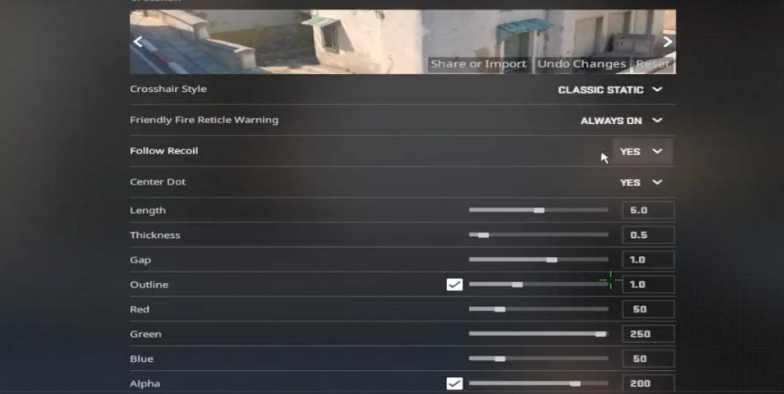
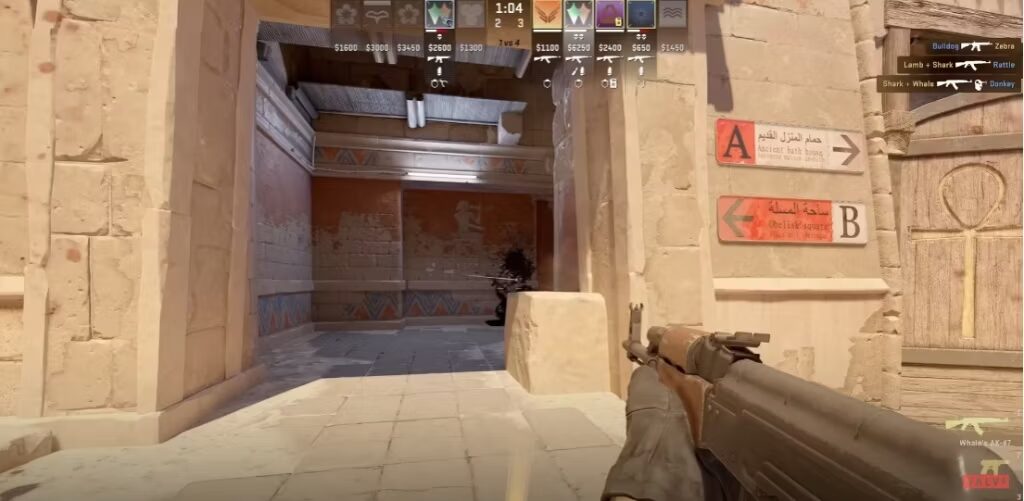
Follow Recoil is a crosshair option in Counter Strike 2 that causes your crosshair to move dynamically while firing. Instead of remaining static in the center of your screen, the crosshair visually follows the weapon’s recoil pattern as bullets are fired.
In simple terms
Your crosshair shows where your bullets are going during a spray.
This applies to rifles, SMGs, and other automatic weapons that have vertical and horizontal recoil patterns.
What Follow Recoil Does in Actual Gameplay
When Follow Recoil is enabled, several gameplay elements change immediately.
• The crosshair moves up and sideways during sustained fire
• Recoil patterns become visually obvious
• Spray mistakes are easier to identify
• Target tracking feels different compared to a static crosshair
Weapons like the AK 47, M4A4, M4A1 S, and MP9 show the strongest visual change because of their aggressive recoil behavior.
This setting does not change recoil itself. It only changes how recoil is displayed.
How Follow Recoil Helps New CS2 Players
For beginners and lower skill players, Follow Recoil can be extremely useful.
Key Benefits for New Players
- Makes recoil patterns visible instead of abstract
- Teaches proper mouse pull direction
- Helps connect spray control with bullet accuracy
- Reduces guesswork during learning
- Speeds up early mechanical understanding
Instead of wondering why bullets miss, players can see it instantly on screen. This makes Follow Recoil a strong training tool when used correctly.
Why Experienced Players Often Turn It Off
As players gain experience, priorities change. High level CS2 players rely heavily on muscle memory and consistency.
Common Reasons Veterans Avoid Follow Recoil
• Moving crosshair can be visually distracting
• Interferes with long term muscle memory
• Harder to track multiple enemies
• Less consistent in high pressure fights
At higher skill levels, players already know recoil patterns subconsciously. A static crosshair allows faster reactions and cleaner aim corrections.
Follow Recoil vs Learning True Spray Control
This is the most important concept in this entire guide.
Follow Recoil does not replace learning recoil patterns.
It only shows them.
If players rely on Follow Recoil permanently, they risk training their eyes instead of their hands. True spray control in CS2 comes from internalized muscle memory, not visual assistance.
The Correct Way to Use Follow Recoil
- Enable it during practice or warmups
- Learn how each weapon behaves
- Understand how much to pull and when
- Disable it once patterns feel natural
- Test your control without visual help
This approach builds real skill instead of dependency.
When Follow Recoil Actually Makes Sense to Use
Follow Recoil has specific use cases where it shines.
• Spray training maps
• Aim warmups before matches
• Learning new weapons
• Returning players shaking off rust
• Short focused practice sessions
Some players bind Follow Recoil to a key so they can toggle it on and off depending on what they are practicing.
Follow Recoil Comparison Table
| Player Type | Follow Recoil Value | Recommended Usage |
|---|---|---|
| Brand new players | Very high | Use during practice and casual matches |
| Intermediate players | Medium | Use for training only |
| Advanced players | Low | Mostly disabled |
| Competitive veterans | Very low | Not recommended |
| Returning players | Medium | Temporary use |
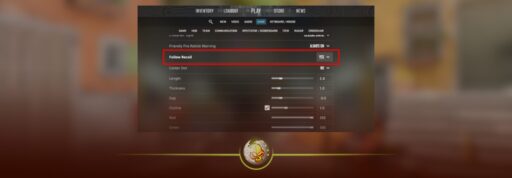
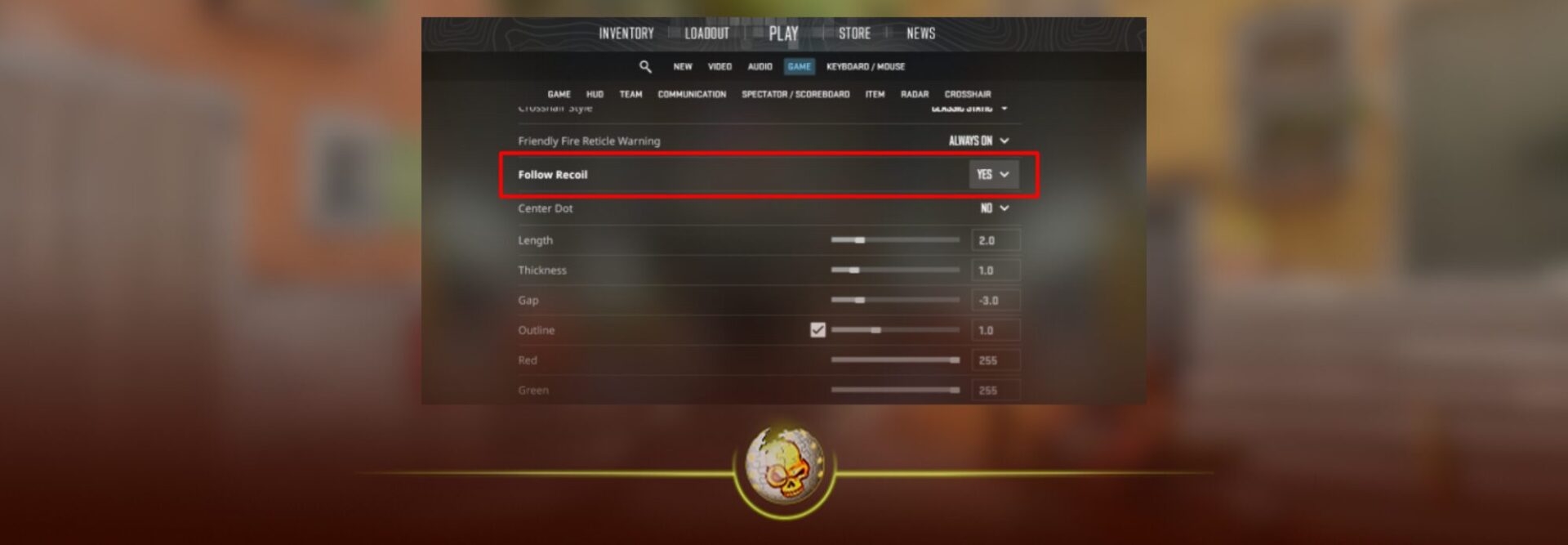
How to Enable Follow Recoil in CS2
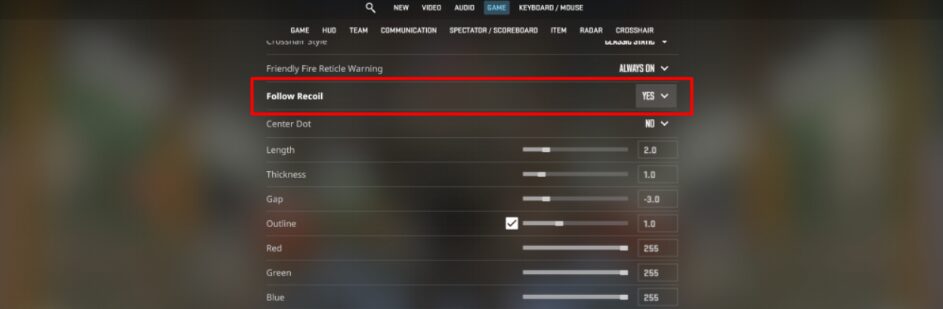
To turn on Follow Recoil in Counter Strike 2
- Open Settings
- Go to Crosshair
- Enable Follow Recoil
Test it in a deathmatch or practice server before jumping into competitive play.
Should You Use Follow Recoil in Competitive CS2
For most players, Follow Recoil should not be used long term in competitive matches.
Competitive CS2 rewards
• Consistency
• Muscle memory
• Fast target switching
• Clean visual clarity
Once recoil patterns are learned, a static crosshair provides better control and reliability in real matches.
Read More From Daddyskins
- CS2 Mic Not Working – How to Fix in 2 Minutes
- How to Reverse Trade CS2
- How to Trade Up to a Knife in CS2: Complete Step-by-Step Trade-Up Guide (2025 Update)
- CS2 Trade Reversal Guide: How to Undo a Steam Trade?
- CS2 Cheapest Mil Spec Skins To Start A Trade Up Path To Covert
- CS2 Trade up Calculator (How Do They Work)
- CS2 Trade Up Odds From Covert To Knives, Explained
- Who is Donk CS2?
- Cheapest Coverts CS2 to Upgrade (UPDATED, November)
- Are CS2 Skins Still a Good Investment in 2025
- Is CS2 Down How To Check Server Status Instantly
- Knife and Glove Trade Ups in CS2 How to Turn 5 Covert Skins into a Specific Item
- CS2 Skin Float and Wear Explained Full Guide to Float Values, Wear Ratings, and Prices
- CS2 Skin Trading for Beginners
- How to Show FPS in CS2?
- Best CS2 Plays of 2025
- Best CS2 Settings Guide 2026
- Where To Watch The Grand Final Of The StarLadder Budapest Major CS2
- How to Unlock Premier Mode in CS2
- Cheapest CS2 Gloves 2025 [UPDATED]
- Prediction for MOUZ vs FaZe — StarLadder Budapest Major 2025 Playoffs
- CS2 Trade up Contracts Full Guide
- CS2 Major Budapest Results Vitality Win StarLadder Major Back to Back
- How to test skins in CS2 before buying them
- How to Get the 2025 Service Medal in CS2